A warning
Don't take infrastructure advice from me. Ever. That begs the question, “Why are you reading a blog post on infrastructure by yr. obdnt. srvnt.”? Simply because tales of suffering, woe, and misadventure are always instructive and sometimes entertaining. Read the below to know that when I write this I state the truth.
The following workaround fixed my issue, but I make no warranty that it will apply to anything other than my environment. With that huge caveat, off we go...
Why I am here
As most of you know, I am a serially challenged (I do it again and again and I fail again and again) infrastructure idiot. However, needs must when the devil drives, and no one else is going to install the 11.1.2.3.500 patch for me, so....
I spent most of the last weekend in March struggling with that EPM 11.1.2.3.500 17529887 patch. Much of the issue was that Planning simply didn't work. My compact deployment started up all right, but when I tried to enter a Planning app, nothing. And by nothing I mean I could not edit dimensions, forms, etc., etc., etc. Bummer.
Help is on the way
In desperation, I reached out to John Booth (if a customer needs infrastructure work, I am not sure why he would use anyone else – for sure you shouldn't hire me) and described my system symptoms. John asked if the ADF patches 16964825 and 18362693 had been applied.
I think they are supposed to be applied automatically as part of that big (2 gigabyte) patchset but it didn't (apparently) happen.
I tried applying those patches from the normal C:\Oracle\Middleware\EPMSystem11R1\OPatch location. They failed. I reached out to John again (not many would take calls on a Sunday -- thanks, John) and he explained to me that there are two opatch locations. The ADF patches, because they are at a base level of Fusion (I think I have this right), are applied at C:\Oracle\Middleware\oracle_common\OPatch. I applied the patches and now Planning mostly worked.
Here are the screenshots (the second one is important because there is a twist) of the patches being applied.
16964825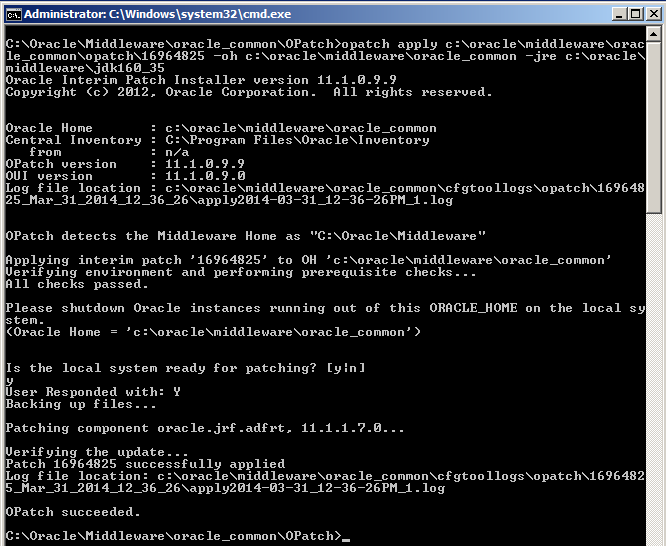
18362693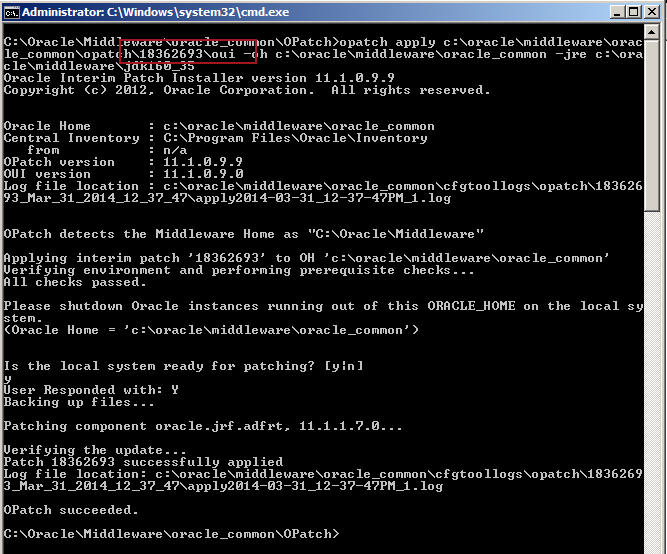
Did you see the special bit of the patch here? Don't just patch 18362693, patch 18362693\oui. From John I know that "oui" in this context is not "Yes" in French, but instead Oracle Universal Installer.
Did it work? Yes and no.
The issue
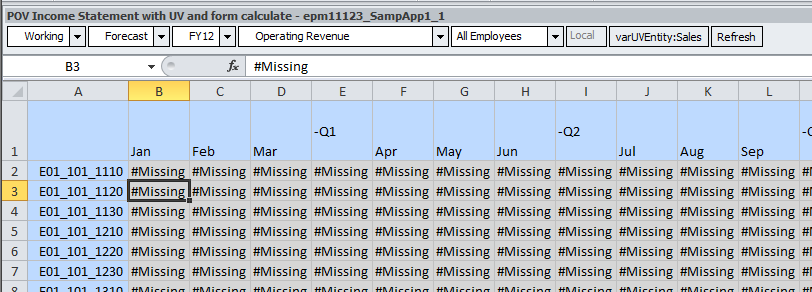
I could now get into Planning via IE. Terrific. But Planning via Smart View...it was interesting. What's wrong with the below screenshot?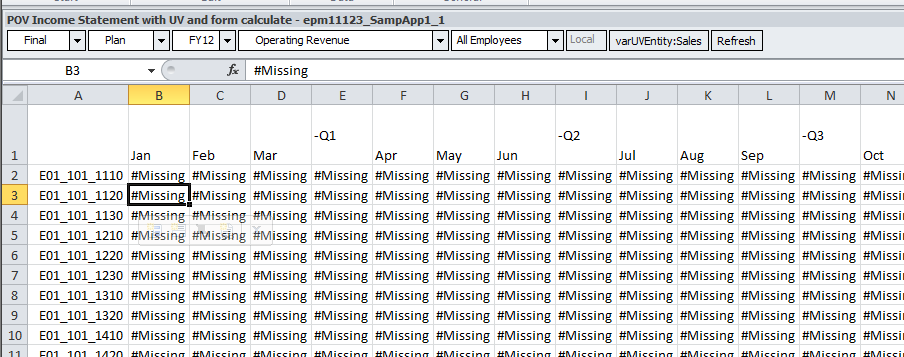
Take a look at it in IE: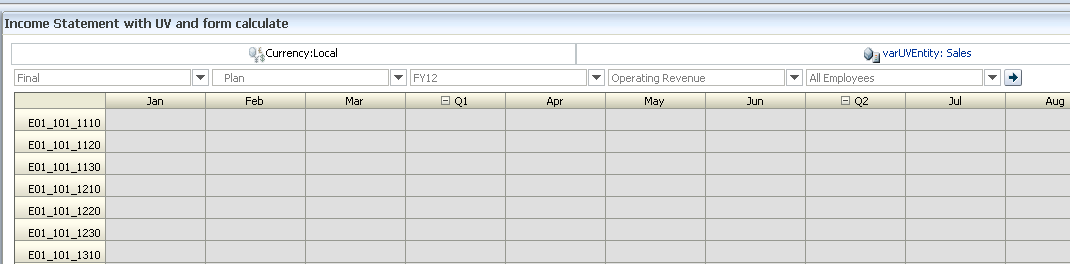
Yet Another Infrastructure Moment of Pain or YAIMP.
The fix
What I did was roll everything back (thank you VMWare and thank you Cameron for being the cautious geek you usually are) via VMWare’s snapshot functionality to a prepatch environment.
I then applied those two ADF patches before I did anything else in that C:\Oracle\Middleware\oracle_common\OPatch location.
I then applied the rest of the .500 patches in the normal C:\Oracle\Middleware\EPMSystem11R1\OPatch location. Opatch tried to apply the two ADF patches (it is built into the 17529887 patch as far as I can tell) and aborted their reapplication, but continued on with the rest of the patching process.
I then crossed my fingers. Did it work?
Why yes it did. Whew.
The clew I should have knew
Were I more eagle eyed, I would have seen this in my initial failed install: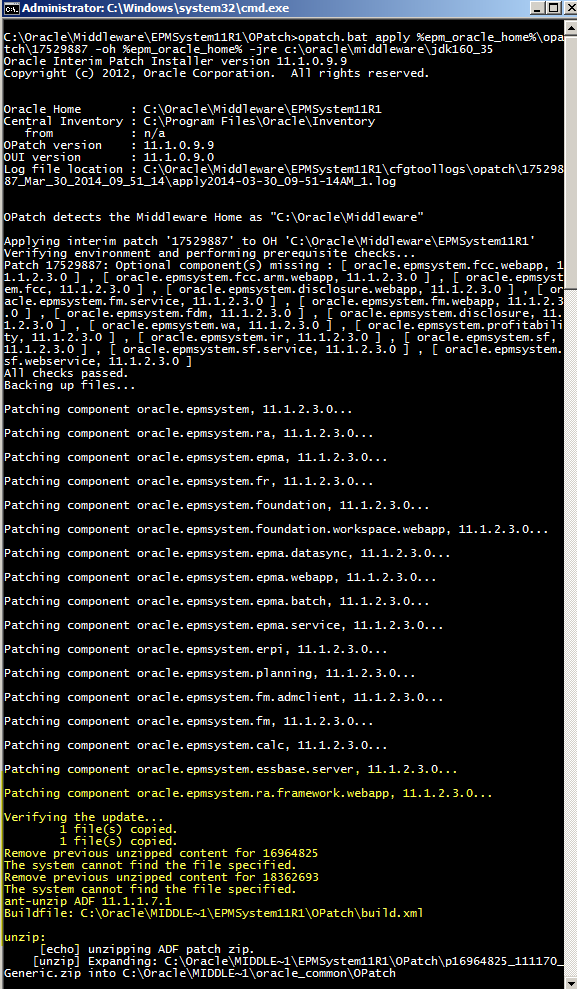
That would be the two required ADF patches going KABOOM. Did I see it? Nope. Dumb, dumb, dumb on my part. As my teachers used to say back in school, “A smart boy, but does not pay attention to detail. Must do better.” It is nice (?) that my fundamental personality traits are constant through time.
Even dumber is that this is explicitly noted in Oracle Support KB article Issues Using Planning after Applying EPM Patch 11.1.2.3.500 (Doc ID 1640411.1). Although I swear that when I looked for some clew (or clue) to my issue I couldn’t find it. Sigh.
The cause
So why didn’t it work? Most likely because I didn’t have my 11.1.2.3.000 environment set up quite right. Careful reading (oh sure, now I do this) of the Great and Good John Goodwin’s post on 11.1.2.3.500, rewards the faithful reader with this important note:
One thing is nice is that applying the patch looks to automatically install the required ADF patches in to oracle_common home. (if you have opatch added to the path variable that is).
Looking at my PATH environment variable I see: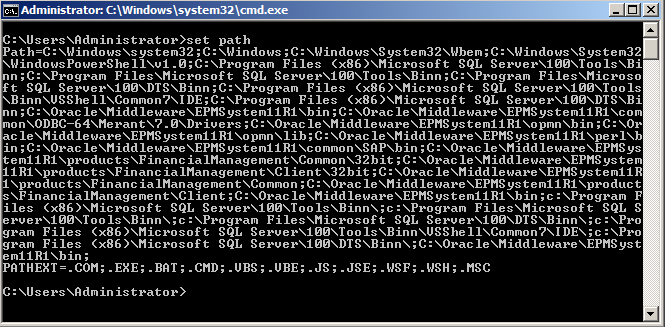
No reference to C:\Oracle\Middleware\oracle_common there and I think that is why the whole thing didn’t work.
The end
I think I have ten new grey hairs from all of this. And if you wonder why I suffered through this
process, I have two Kscope14 sessions riding on a .500 environment. It was either do or die. Luckily this time I lived. Again, I would never have gotten this far without John Booth's help. Thanks, John!
Be seeing you.
Cameron


No comments:
Post a Comment