The export problem
Oh, I cannot believe that I didn't know this one.
Can
Not
Believe
It
Can
Not
Believe
It
Have you ever wanted to do an export in EAS but realized that you didn't have file rights to the Essbase server? Most locked down environments are this way, right? And so what do you do? You find someone (anyone) who has file rights to the Essbase app folder and he moves it to a location you can access. The thing is, if that was a big export, and it usually is, it takes time to move it to a semi-open location and of course when you load via EAS, you will load first to EAS, and then EAS loads that data to Essbase. At least three copies of the data file(s) occur. Ugh.
Wouldn’t it be great if there was a way to export that Essbase data to a location you could access directly? Wouldn’t it? Why yes it would.
The export Stupid Trick
I have to give credit to Dave Anderson for showing me this technique. This is now the second time he has shown me a Stupid Trick. Sigh.
Application level
So easy, even Cameron can do it.
When you export, put in the application name into the Export to file (shown here in 11.1.1.3 ‘cause that’s what’s on my VM, but trust me, it’ll work in the latest release as well), then a backslash, and then the file name.
See the “Sample\”? How oh how oh how did I not try this in like, oh, the last 18 years? How? Don’t answer.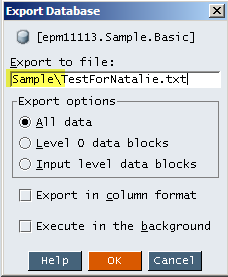
Do you see the file? This is on a data load – I simply navigated to the application folder. 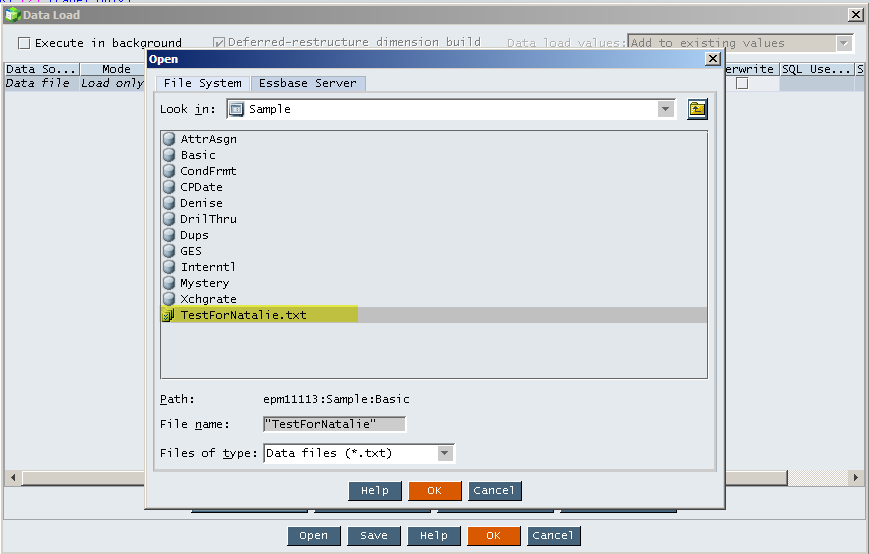
Arrrrgh!
Arrrrgh!
And Yeeeeeaaaaaahhhhhh!
All at the same time. The jubilation outweighs the frustration, thankfully.
Database level
So if I can export to the application level, surely I can export directly to the database folder itself, right? And so it was.
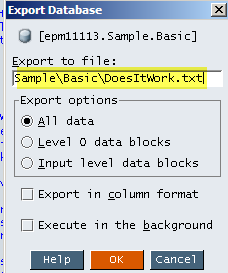
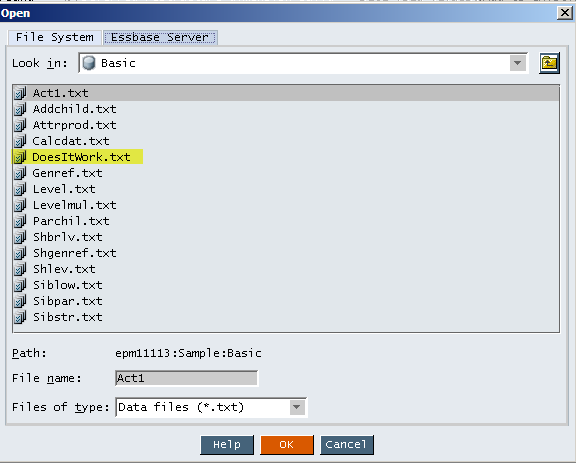
Note that I have now typed in “Sample\Basic\” in front of the file name. Could it, would it, does it work? Yes indeedy.
Multiple file export
Can this be expanded to multiple files? Oh, yes, it most absolutely can.
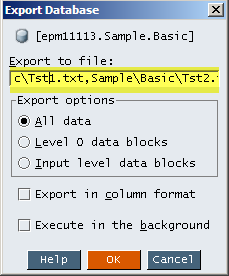
It’s difficult to see, but I typed: “Sample\Basic\Tst1.txt,Sample\Basic\Tst2.txt”
Can this be expanded to multiple files? Oh, yes, it most absolutely can.
It’s difficult to see, but I typed: “Sample\Basic\Tst1.txt,Sample\Basic\Tst2.txt”
And here they are, in their parallel export glory:
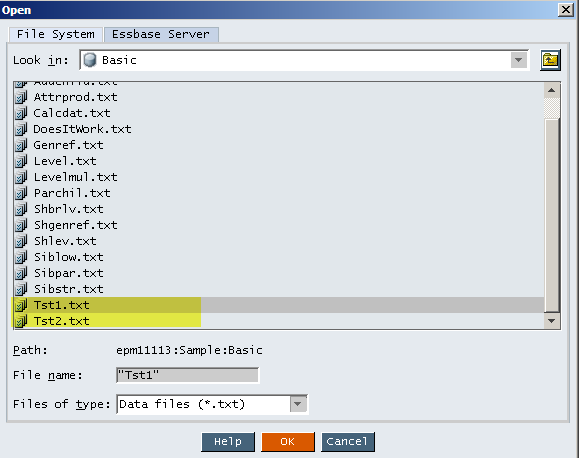
It's that easy.
So do you feel dumb or smug?
I have an email list of fellow consultants, former and current customers, and various people who are too polite to tell me to go away – this is my Stupid Tricks list. When Dave Anderson showed me how this worked, I had to share with everyone. Some people (Opal, Natalie, Sébastien) thought this was way cool and others (Glenn, Rich, Josie – hmm, all colleagues from a particularly difficult project, I think I now know who was the weak sister) couldn’t believe I didn’t know this. I couldn’t believe I didn’t know this trick. But now everyone does, I hope.
I have banged my head against the wall with exactly the problem this Stupid Trick solves, oh, a zillion times during my Essbase life and this would have been so nice to know. At least I learnt it before I retired. :)


No comments:
Post a Comment