Thursday, May 12, 2016

The Compleat Idiot's Guide to PBCS No 14, Chris Rothermel and Planning data loads

Introduction

Yes, another Compleat Idiot post, and yes another one not written by yr. obt. svt.  Aren’t you glad?

This time round we have a lament coupled with a plea by my friend and colleague Chris Rothermel.  He’s got some actually useful information and informed opinion on PBCS’ native data handling which is a bit more helpful than my “The on-premises (and PBCS) native data load functionality is so brain-dead it beggars belief.  Really, it’s just awful.  At least the two are at parity.”  quote which on reflection is quite whiny but moderately funny.  It did spur Chris to write this so it wasn’t completely without effect.

With that mea culpa out of the way, let’s dive into what Chris has to say about PBCS and data loading.

Lament:  PBCS Native Essbase Data Loads Lack Functionality

Like Cameron I’m used to loading data files using an Essbase load rule.  This option is not available in the brave new world that is PBCS.  This post describes two behaviors of PBCS Native Essbase loads I find frustrating.
  1. The data load is all or nothing
  2. Data load error handling is poor

The data load is all or nothing.  If you have a single erroneous record in the file none of the valid records in the file are loaded.  

Can the “Validate” button help before I try to load?  Not in this case.  Validate checks the file format, not for valid members.  In Developing Essbase Applications, Chapter 2: Slay Bad Data In Essbase, Cameron creates a process to ensure members exist in the outline before data is loaded.  Here in PBCS our tools are limited.
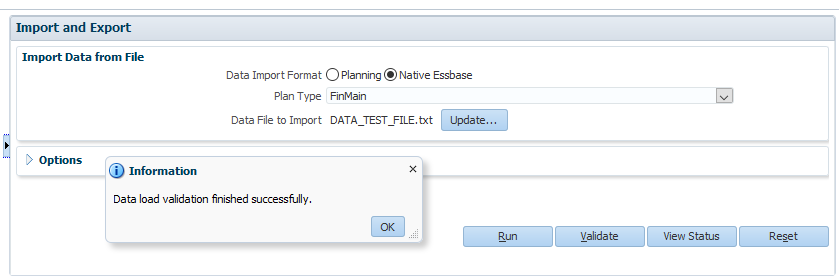

So know when you see a screenshot like the one below nothing got loaded, not a single record from the file.
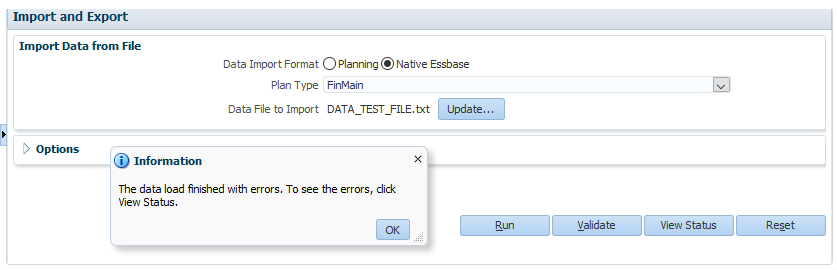
Let’s click “View Status” to see what the complaint is about and why the file errored out.
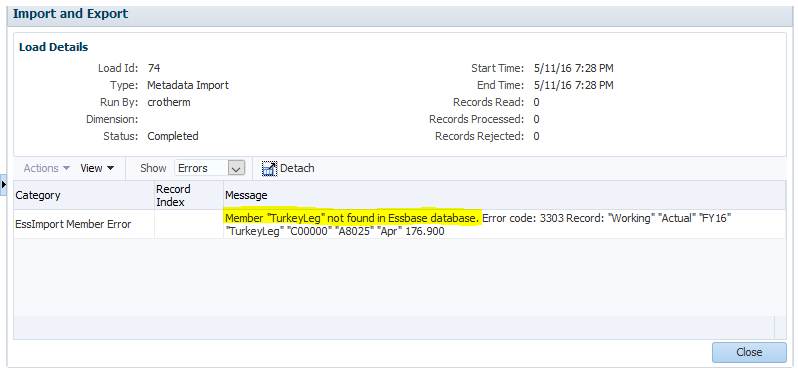
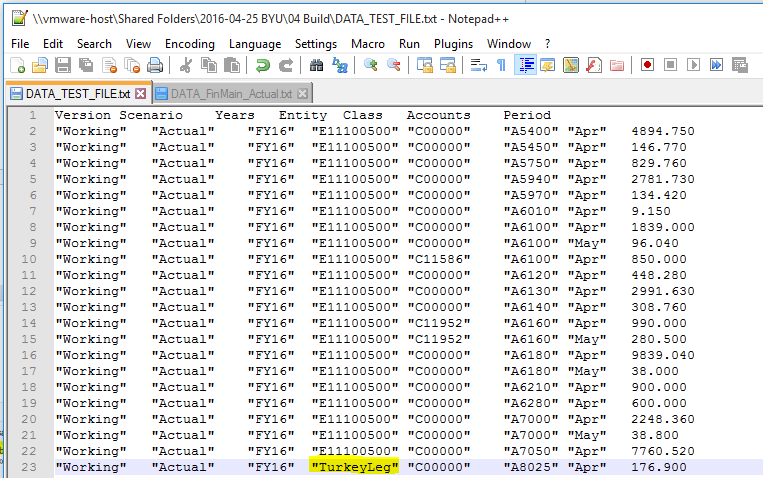
🍗 TurkeyLeg is not a valid member in the Entity Dimension.  So my data file containing 99 other valid data records did not load.  Here is the file that doesn’t load because of a TurkeyLeg.
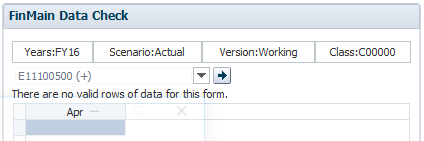
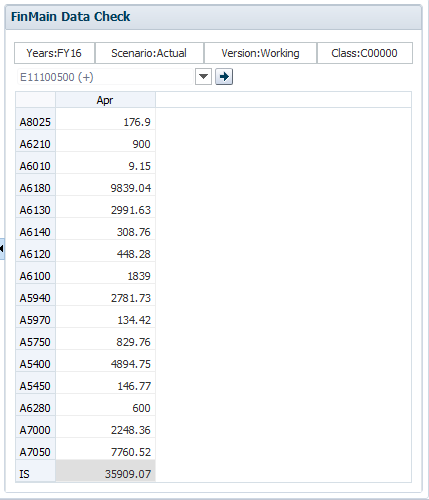
The following webform confirms the data did not get loaded:

So what now?  Well it is probably no surprise that “TurkeyLeg” is not a valid Entity member for this database.  It was only there for demonstration purposes.  When I update the record to the correct entity the file loads and we see the data in the system.  Hooray #1:
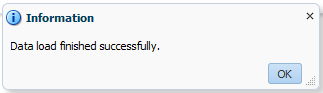
Hooray #2:
What if the All-Or-Nothing approach is the design?

There is an advantage to the all-or-nothing approach:  The complete data file is loaded only when it is completely perfect thus avoiding the situation of partial data loads.  So if you’re an administrator in this example you would field the complaint:  “Why don’t we see any data for April?!” instead of “We are missing some data in the system.  Is the data loaded for April complete?”

The traditional way of loading Essbase data gives you a list of kickouts.  For my example file I had 99 valid records and 1 invalid record.  The 99 valid records would have loaded and the one kickout record would have been identified.  The kickout file for traditional Essbase is in a format ready for re-loading.  

The PBCS Native Essbase Data Load is different from this familiar reporting.  A list of kickouts is not provided – only the first record is!  That 100 record file was just a sample.  I really have a 27,528 record file.  When that tries to load it fails on another member that is not in my outline but should be.  An inefficient process would be to correct the single error record and then try the re-load, find the next missing member, and repeat.   

The All-Or-Nothing approach has limited merit but the functionality of the Native Essbase Data Load falls far short from what we’re used to.  

PBCS Data Load Error Handling is Poor

Navigate to Tools/Import and Export Status and find this sorry report on the data load.  Several disappointing items:
  • First it is labeled as a “Metadata Import.”  Boo.  I think the most junior programmer should be able to solve this for Oracle and correctly label this as a “Data Import.”  
  • How many records were read in my file?  0?!  Oh please put a small amount of code to say the data file had 100 records.  Again, a junior programmer can easily code this.
  • Records Processed:  0.  Well I guess this is fair when the data load fails because nothing was loaded.  The problem is when 100 records are loaded this is also 0!
  • Record Index:  This process failed on the 23rd line in the file.  If there were multiple records that fail to load it would be great to see them as well.
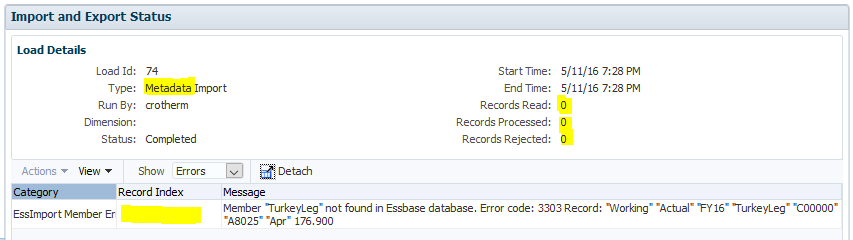

My improvement request to Oracle

  1. Give us the option for the All-Or-Nothing data load and realize we don’t want to be held up by one failing record
  2. Give us a complete reject list similar to the old Essbase kickout file
  3. Label Data Load logs as “Data” and fill in the record count details appropriately

Chris Rothermel
Rothermel Consulting LLC

Talking turkey?

Eating turkey engenders calmness through amino acids.  Turkey has tryptophan.  Does PBCS have an analogue?  

Be seeing you.

Sunday, May 8, 2016

The Compleat Idiot's Guide to PBCS No. 13, LCM aka Application Management

Danger 5

I have been accused of being somewhat conservative in my consulting career:  taking the simple approach over the clever even when the clever is…clever ‘cos it inevitably blows up when the consultant genius who put it in leaves/is fired/can’t get it to work in the new release, never develop in production (oh, the arguments I have over this and if you think “There’s no test like production” you’ll be sooooooorrrrrrrryyyyyyy), actually running calculations through regression tests, and always making sure I’ve got stuff backed up before I make a change.  You say cowardly, I say deeply burnt by terrible experiences and am thus quite good at avoiding danger.  That’s why you hire experienced practitioners – they’ve (or at least I’ve) made almost every mistake there ever was and have learnt to never ever ever ever do it again.

Back it up

And with that, we’ve come to an awfully important part of our series, and one that I jumped over but didn’t forget in my excitement over diving into how to manage the Vision PBCS application.  In a word:  backups.  Boring, yes.  Vital, absolutely when things go pear shaped.  And PBCS gives you two (sort of) different ways of doing it.

I’m not going to recap how to do an on-premises Essbase back up as I’ve covered it here:  A lightweight, modular, and better Essbase backup.  So long as I’m trying to encourage you, note that the code I’ve written is error checked, parameterized, and extremely lightweight.  I’ve seen more complex backups – actually a lot more complex, cf. my comment about complexity vs. simplicity above – but I haven’t actually seen any that back up Essbase more completely.

But when it comes to Planning and FR and SS and who knows what else, an Essbase backup isn’t going to cut it.  Instead, in the on-premises world, we use LCM to either back up application components through the UI or via the LCM utility.

NB – Some of the more perspicacious amongst you may note that LCM backups Essbase data as part of the Planning application.  That’s as true as far as it goes but it’s pretty crippled and a far more flexible approach is to have a separate Essbase backup.  To each his own.

In the land of Cloud (Sky of Could?  Heaven of Cloud?  Hope and Glory?) things are both easier and the same.  But I’m getting ahead of myself.  Let’s stick with Good Old On-premises for the time being.

On-premises

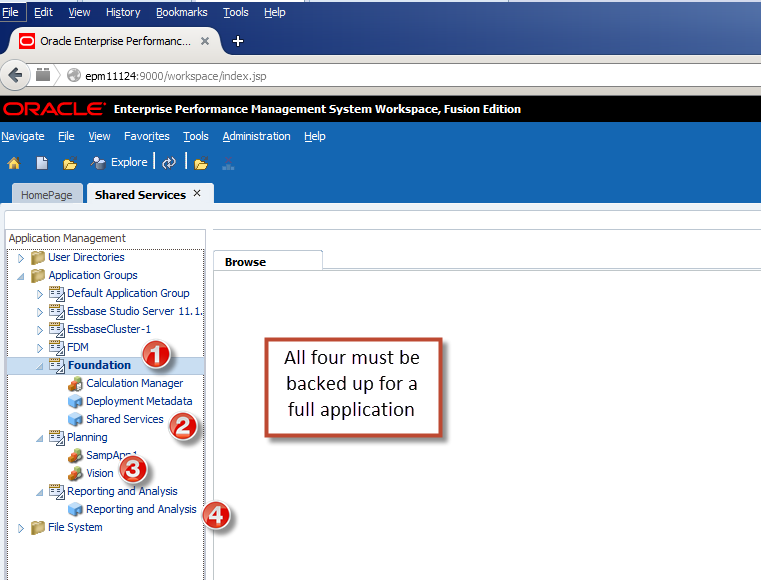
What’s easier to archive?  Essbase via that backup code I wrote?  LCM backups of Shared Services groups, users, and provisioning?  Or Calculation Manager?  Or Financial Reports?  Or the Planning application itself?  All of these must be (at least in the UI if LCM is to be used) backed up one after the other.  It’s a complete pain.

It’s easy enough to do just involved.

You’d have to (and we will do this in the next post) script the whole thing using the Lifecycle Management Utility and then schedule it unless you really are a glutton for punishment.  All of my readers (the three or four of you) are of course of the Best and Brightest so there’s little chance of that happening.  Right?  Right.

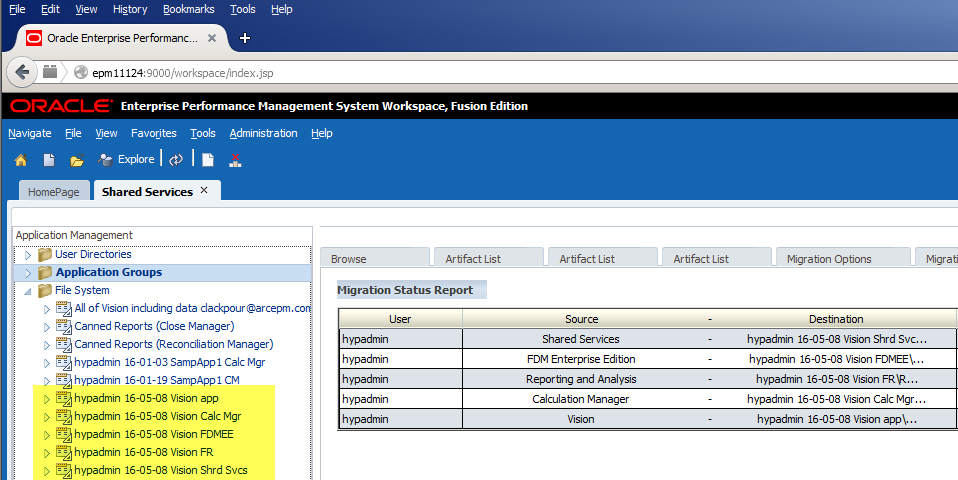
In the meantime I will spare you the selects and exports but here’s what you end up with:

Navigating through the products isn’t so awful, it’s just that I had to select ‘em all.

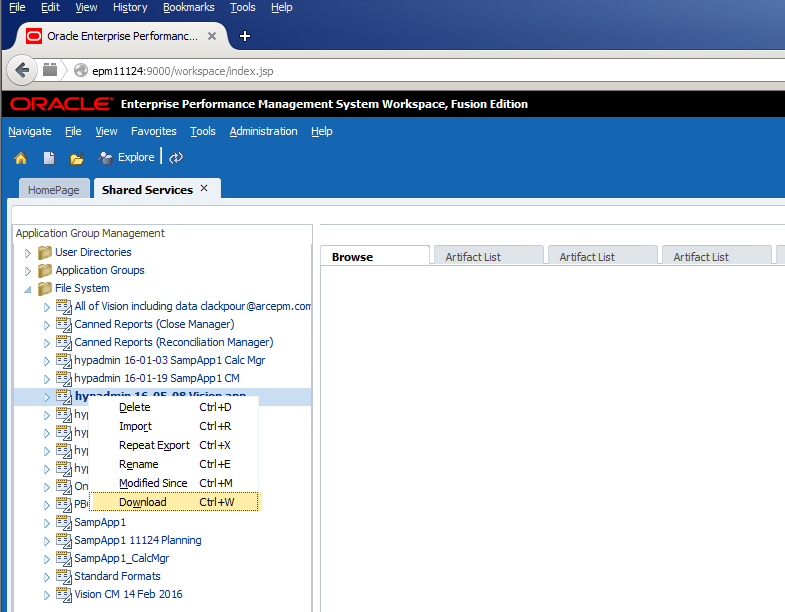
Downloading it is dead easy:

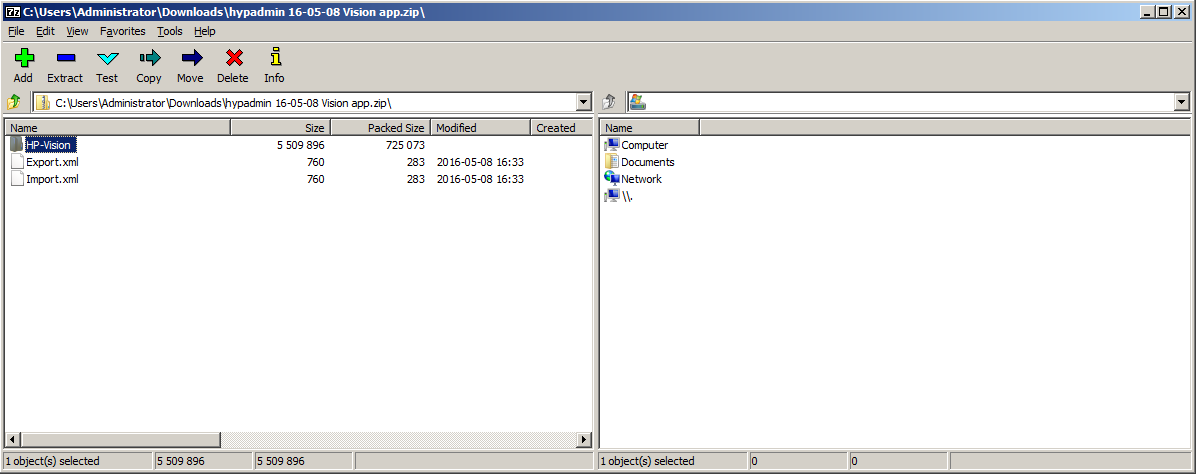
And here it is on my local drive:

Do with it what you will.  In the real world, a nightly export is often archived off to a safe location.

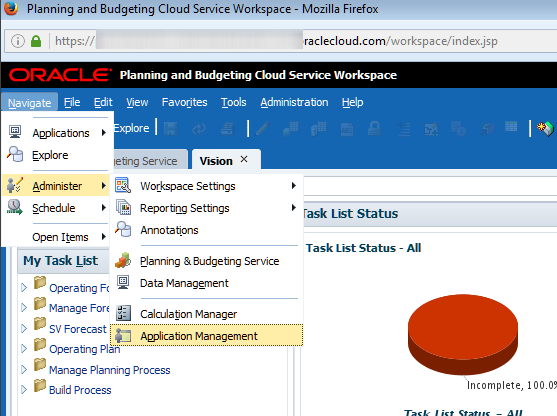
Not really Workspace, not really the Simplified Interface

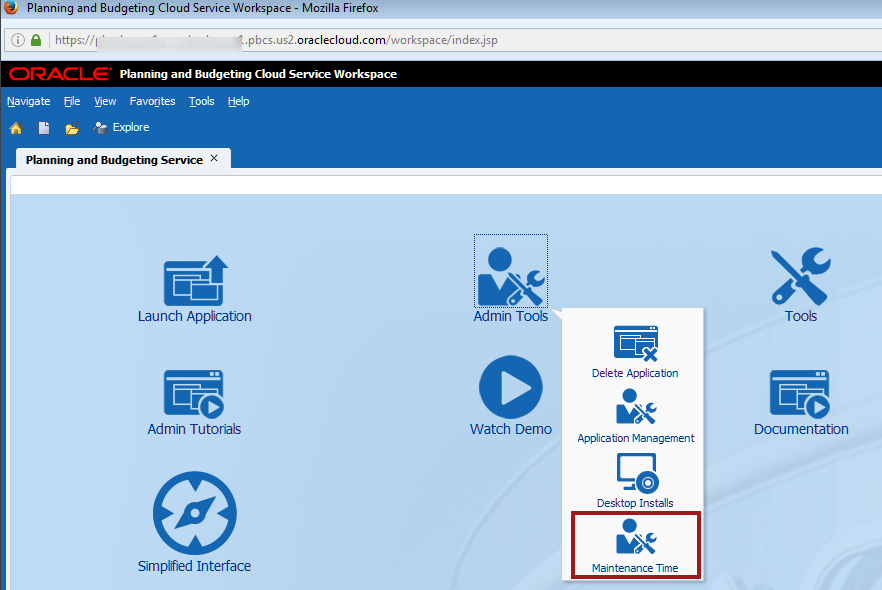
And in PBCS?  It backs up the application automagically each night.  There’s no need to script anything or run a utility or fire up your OS’ scheduler or think about having a separate Essbase backup (although the backups are a bit odd – see my post on migrating from PBCS to on-premises).  It just isn’t necessary.  All that you, Gentle Reader, need to do is to make two simple selections  from the admin landing page.

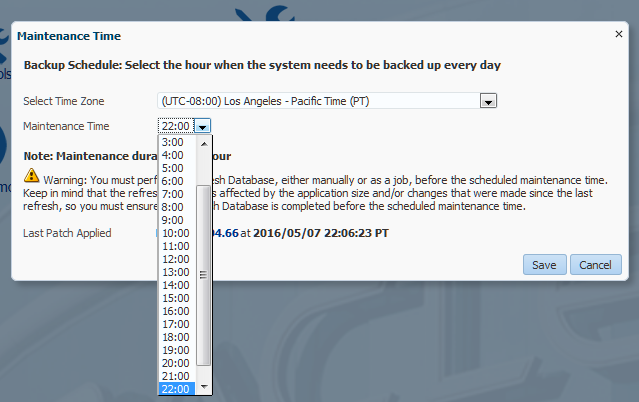
And then pick when you want the backup to occur having set your time zone.

And you are done.  That was nice, wasn’t it?

So just what does the scheduled snapshot show?

Workspace

Let’s go take a look from the traditional soon-to-be-gone Workspace:

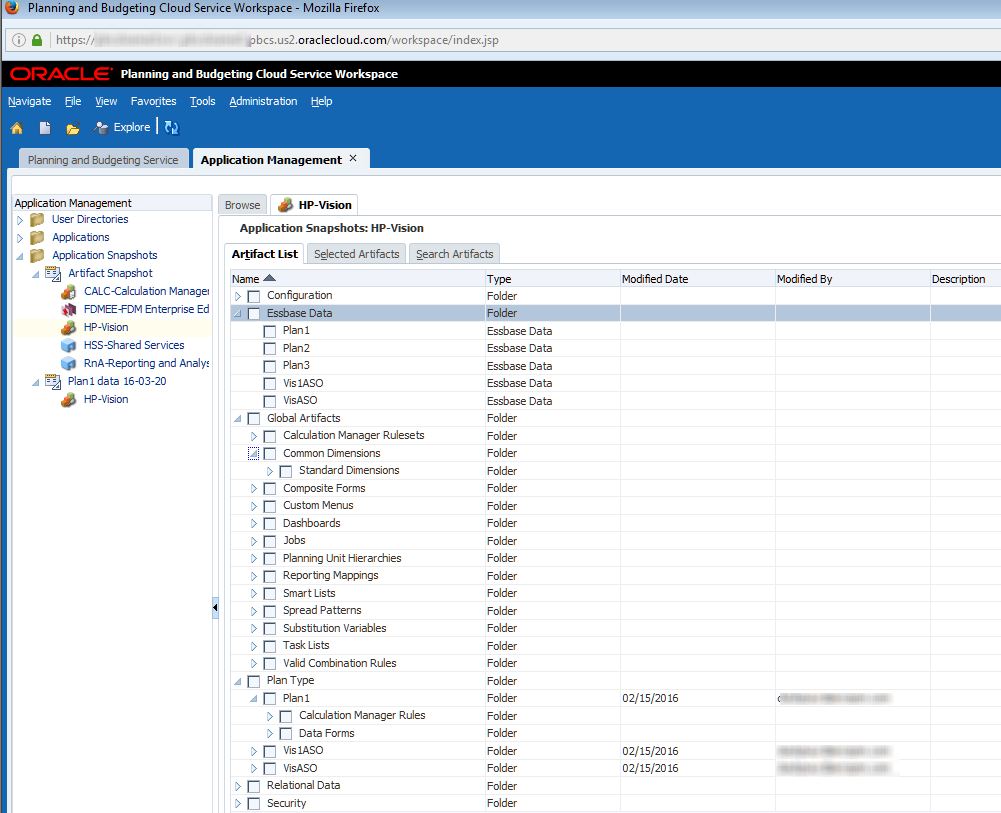
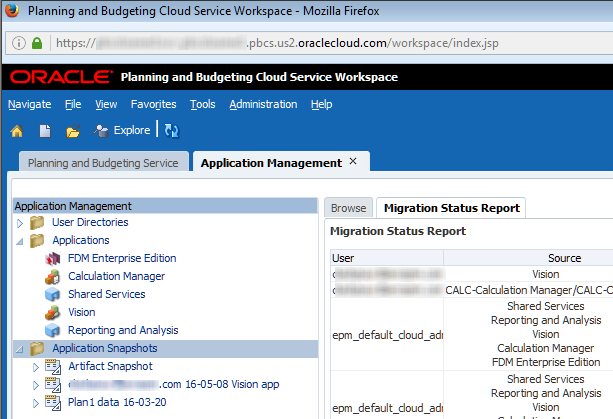
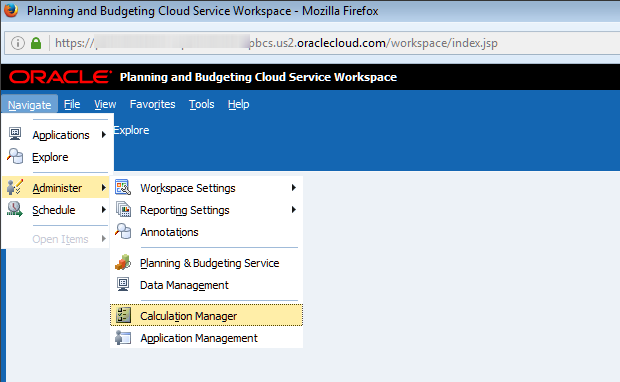
And there it is.  Instead of on-premises’ “File System” LCM backups are called “Application Snapshots”.

The Artifact Snapshot is the system-generated backup and it has everything but everything all together.  

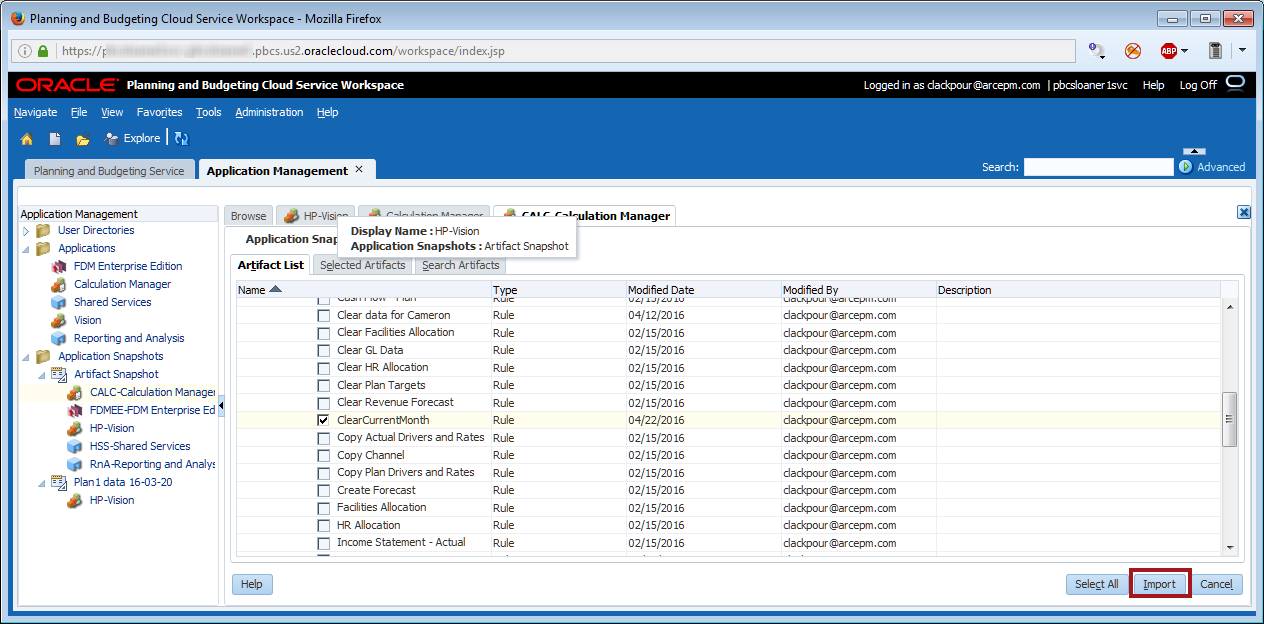
Just as with on-premises, if last night’s backup needs to be restored or just a part of that backup, simply navigate to the object and click on import:

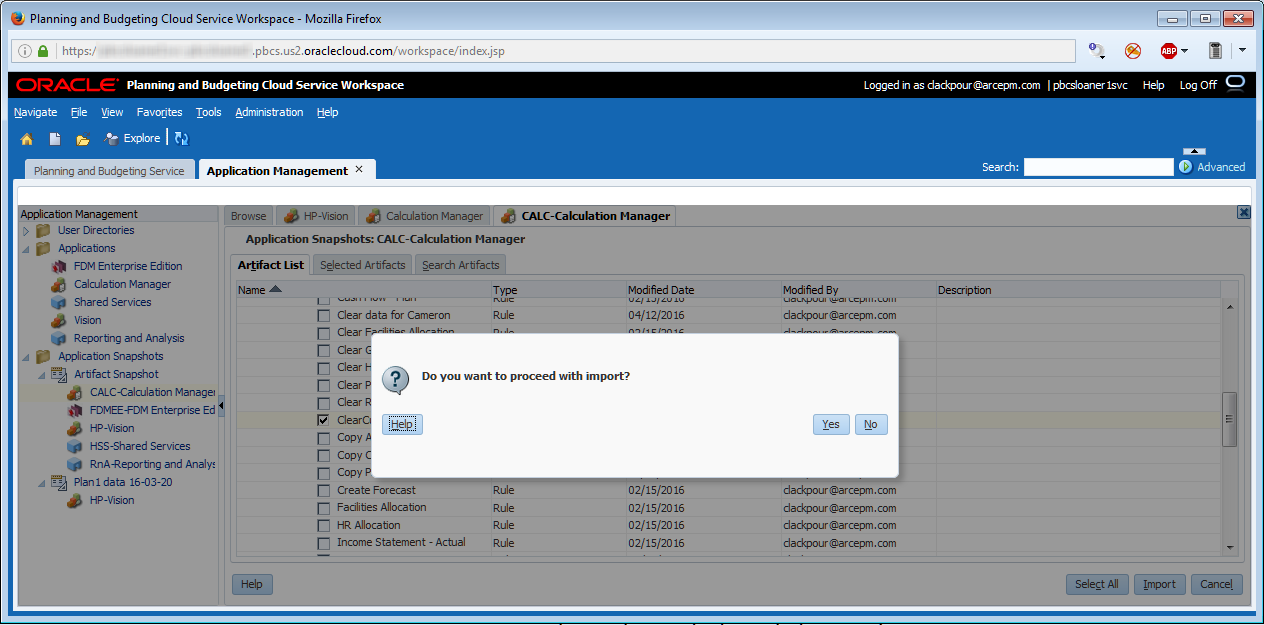
And then confirm that you really want to import the object:

There it is.

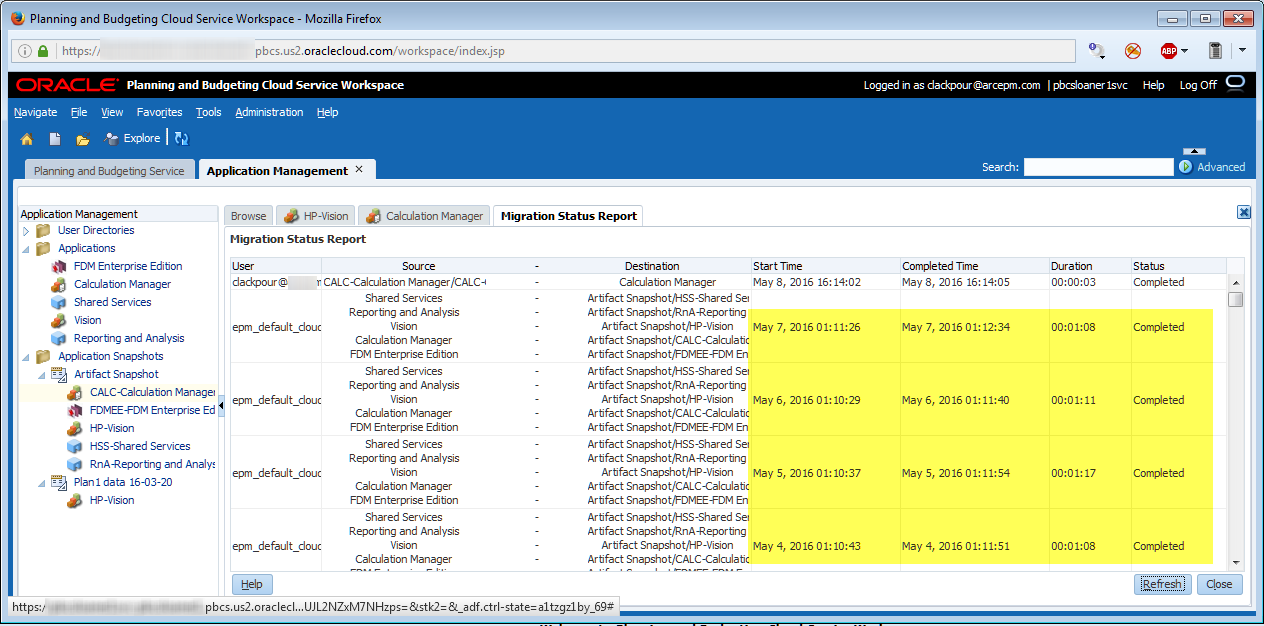
Also note that the Migration Status Report shows the nightly backup.  Of course that makes sense because that’s exactly what was scheduled.  If you’re trying to reconcile the time between what you see in this screenshot and the Maintenance Time dialog box, remember that 22:00 Pacific = 01:00 Eastern.

All or nothing at all


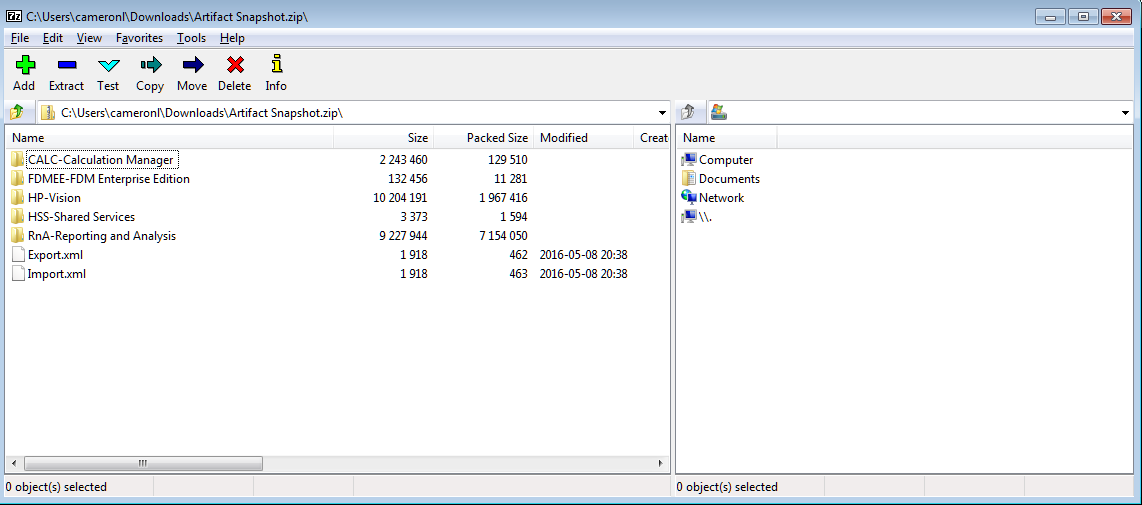
And here’s a bit more than the on-premises backup as I only downloaded the Vision Planning application.  Remember that on-premises doesn’t combine products.  

You have a choice

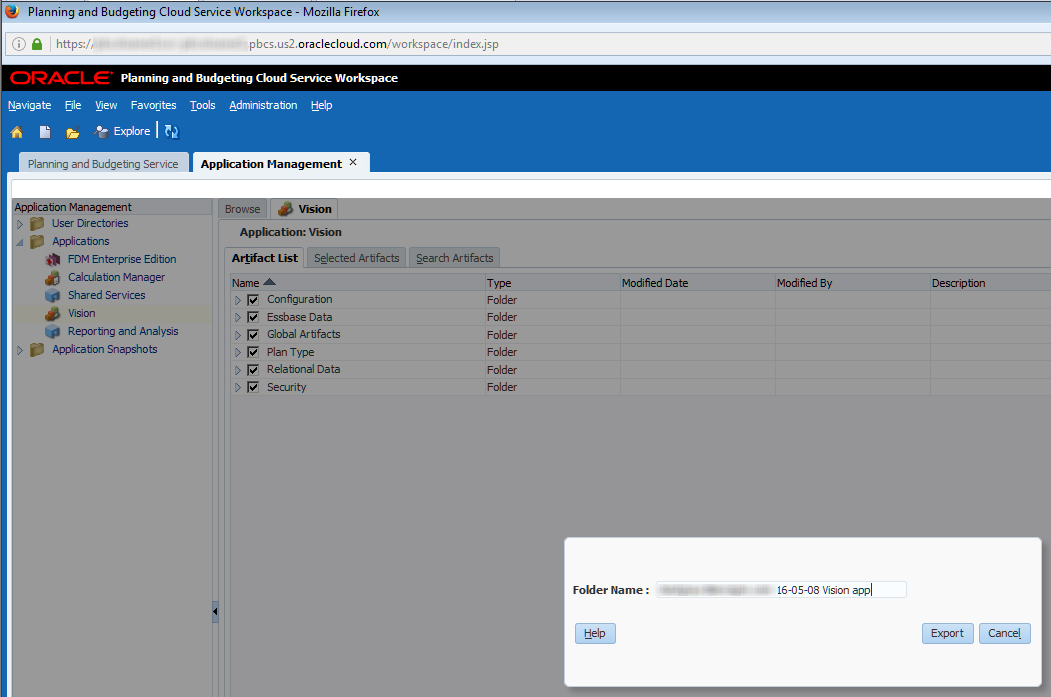
That’s the scheduled export.  What about if a manual backup is needed?  This use case is solved almost exactly the same as on-premises LCM:  pick the product, click on Select All then Export then name the file:

Ta da, we have a single product export.

What about the Simplified Interface

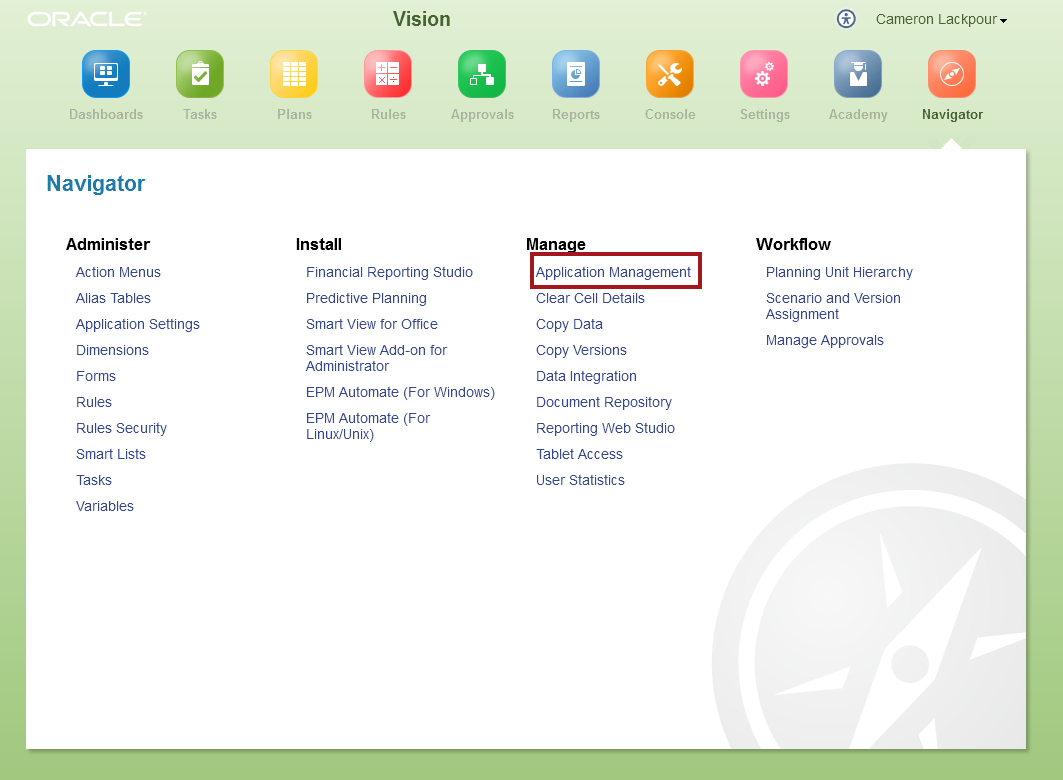
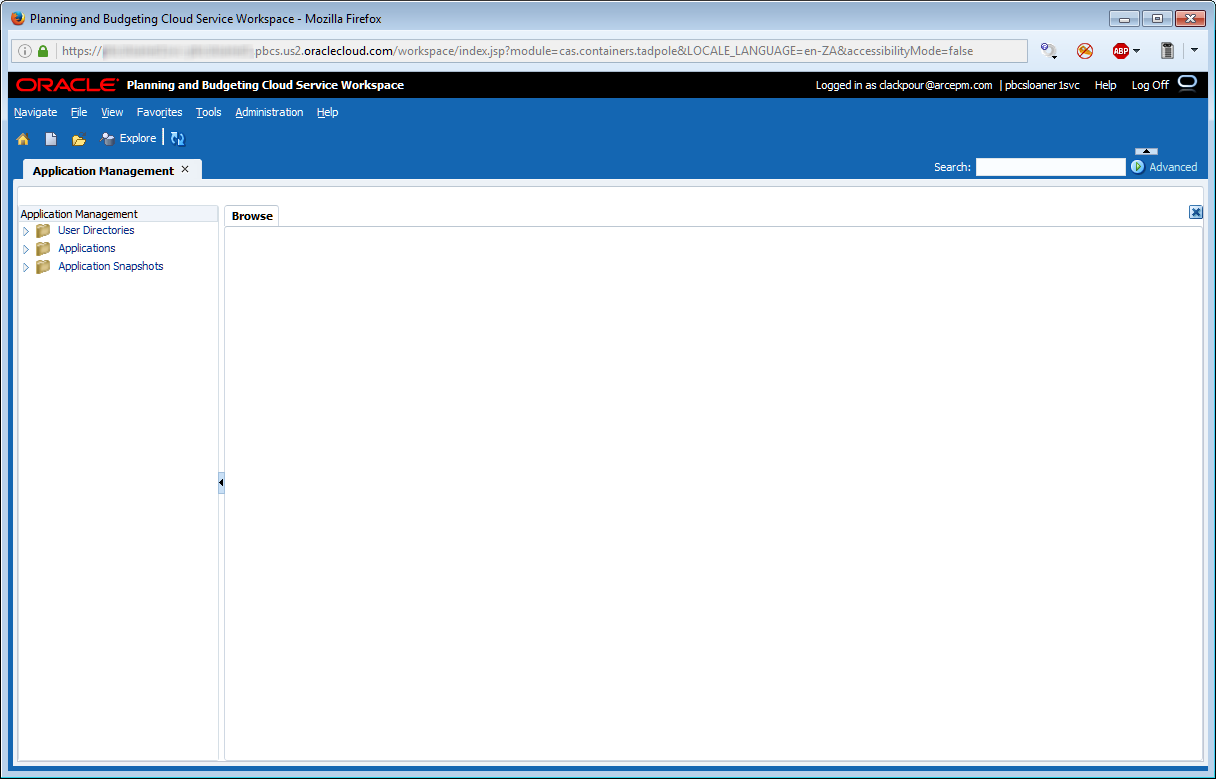
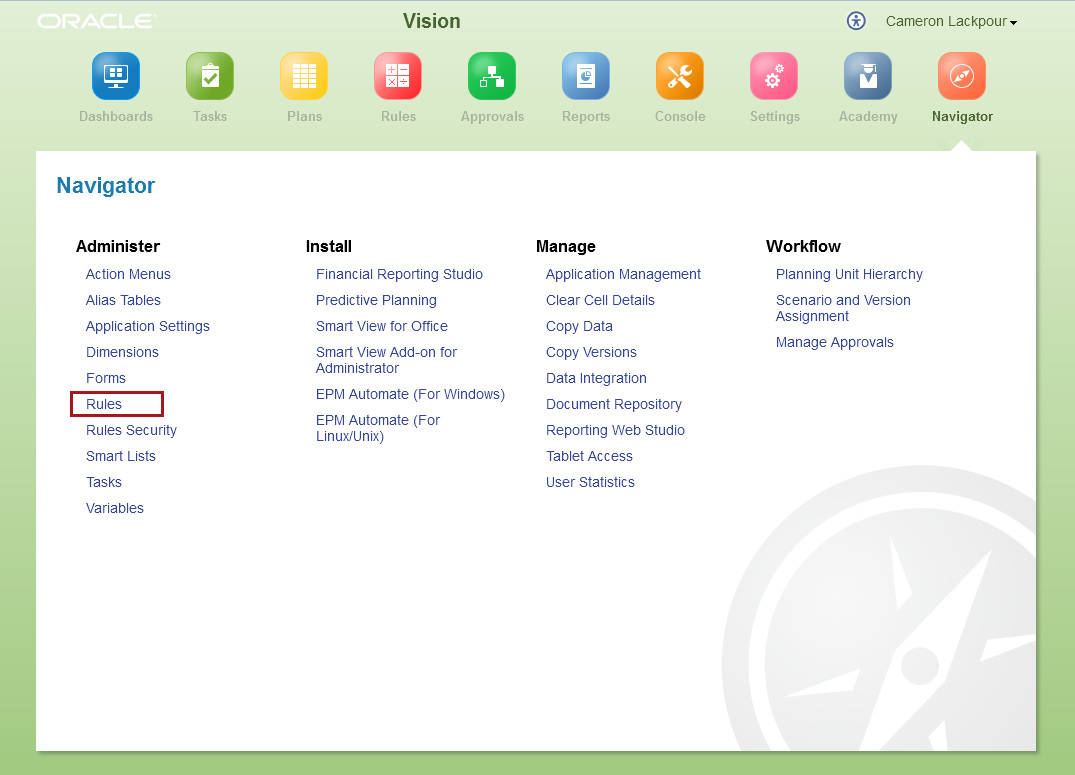
It’s a bit of a work in progress.  Oh, it looks like it’s there in the Navigator.  So go on, click on it:

A new window opens:

And here we are again:

Look for this and everything that is in Workspace to eventually be transferred to the Simplified Interface but not quite yet.  One of the problems with this series in particular is that PBCS is changing so quickly some of this will be out of date far faster than on-premises products.  Customers are still on 11.1.2.2 as of the date of this writing – there won’t be PBCS instances three plus years out of date in future.

How hard was that?

There are two axes of effort:  automatic versus custom full exports.  Automate PBCS backups consist of one step of set and forget.  On-premises we’ll have to tackle next time because it’s all got to be scripted and then scheduled; that post will also take on EPM Automate’s backup functionality.  Let’s take it as read that on-premises is way harder.

As for interactive backups, on-premises vs. PBCS Workspace/Simplified Interface is largely the same.  One could argue that having to navigate through multiple application in on-premises makes the process a bit harder but that’s counting how many angels can dance on the head of a pin.

Our next post will be tying all of this together – backups, metadata loads, data clears, data loads, data aggregations – in an overall script.  It’s not hard to predict which will be the more painful although if you can’t guess you’ll just have to wait till the next post and All Will Be Revealed.

Be seeing you.
Legislative Lockbox Logjam

I hope you’ve been following CT-N to watch our dysfunctional legislature in recent weeks as they struggle to fill a $900 million budget gap.  Not only could they not get a new budget together before adjourning (only to be summoned back mid-May for a special session), but the legislative logjam left several important measures in limbo.  Among them, the long debated “lock box” for special transportation funding.

As I wrote weeks ago, none of Governor Malloy’s plans to spend $100 billion to rebuild and expand our transportation systems over the next 30 years can go anywhere without an agreement to safeguard those funds from mis-appropriation by putting them in an untouchable “lock box”. 
Because the legislature couldn’t pass such a bill or even put it on the ballot as a potential constitutional amendment referendum, that puts the entire Malloy plan on hold.  Without a lockbox nobody trusts Hartford with money raised by tolling or taxes, nor should they.
The lockbox idea is not new.  In fact, it was Republicans who suggested it years ago.  But when Malloy appropriated the idea as his own, GOP lawmakers saw the Governor’s version as more sieve than safe, and they held up a vote.
Folks, if lawmakers can’t agree on an annual budget, let alone a way to keep transportation funding secure, how can we trust them with $100 billion in new money?
The Dept of Transportation’s track-record on private-public partnerships for transit oriented
Original plans for Fairfield Metro that never happened.
development also gives one pause.  For example, consider the Fairfield Metro train station where a private developer went belly-up, leaving CDOT to finish the job, sort of:  the beautiful new station they built still has no waiting room.

Or consider the ongoing saga of the Stamford rail station garage.  It’s been almost three years since CDOT tapped a private developer to demolish the old garage, replace it with a high-rise office / condo / hotel and build new commuter parking lots within a quarter mile from the station.  In three years, nothing has been done because there is still no signed contract.
Developer John McClutchy Jr
Yet, that project is wrapped in such secrecy that nobody understands the delay.  Or why the CDOT is even still negotiating with this laggard “developer of choice”. It couldn’t be because the developer contributed $165,000 to the Malloy campaign that he’s being given so much time, could it?  Nah, that would never happen.

 So here we are, fellow Nutmeggers.  Lawmakers deadlocked.  A $900 million budget deficit to fill this year and another $2 billion hole in years ahead.  State workers are being laid-off.  State funding to towns for education is being cut (meaning local taxes rise).  Billionaires are bailing (a third of our taxes are paid by the top 1%).  And no prospects for a lock-box let alone more funding for transportation.  Yup, just the same old stuff as ever.

No wonder they call us “the land of steady habits”.

Tuesday, May 3, 2016

The Compleat Idiot's Guide to PBCS, No. 12, PBCS and calculations

I have spared you Gallia est omnis divisa in partes tres.  Are you grateful?

After my last bout of dead language infatuation, the answer is almost undoubtedly yes.  

Although I am sticking to the Queen’s English this time, like Caesar and what became France, I am at the third and last post on the current month Actuals in Forecast use case via the various UIs.

In part one of this series I covered what it takes to get new metadata into PBCS, in the last post I reviewed loading data (and had a mildly epic rant about Planning’s native data format), and I shall now illustrate what it takes to write and run a Calculation Manager Business Rule.

With that let’s begin.

Calculation Manager is everywhere

Calculation Manager is Calculation Manager is Calculation Manager

Using version 16.2.2.0.0 of Oracle Planning and Budgeting Cloud service, Calculation Manager doesn’t have a Simplified Interface, uh, interface.  Oh you can get to Calc Mgr through the SI, but once done, it’s the same Workspace we all know and love.

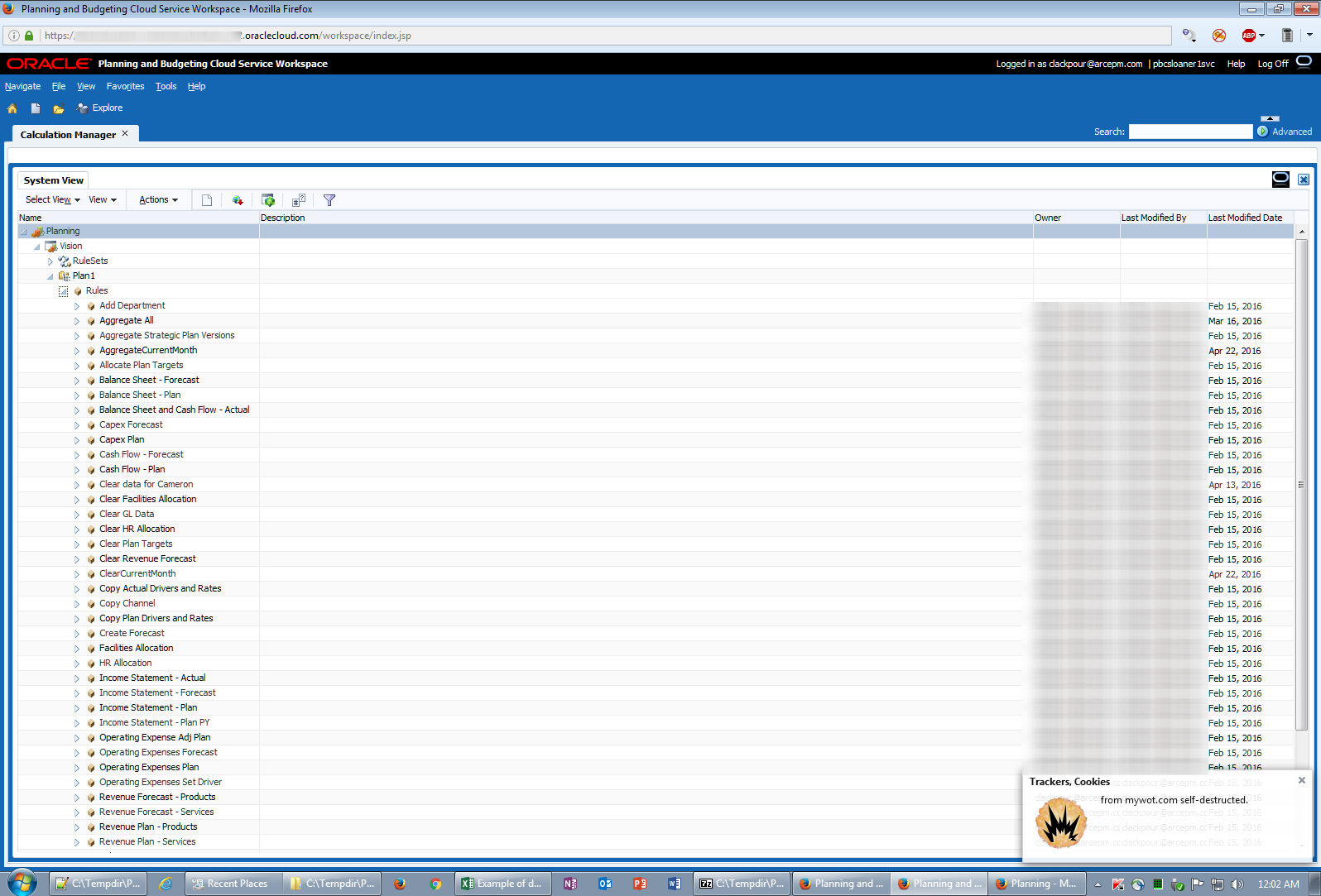
Navigating to the Navigator’s Rules…

…launches (briefly) a new window…

…and then finally into good old Workspace:

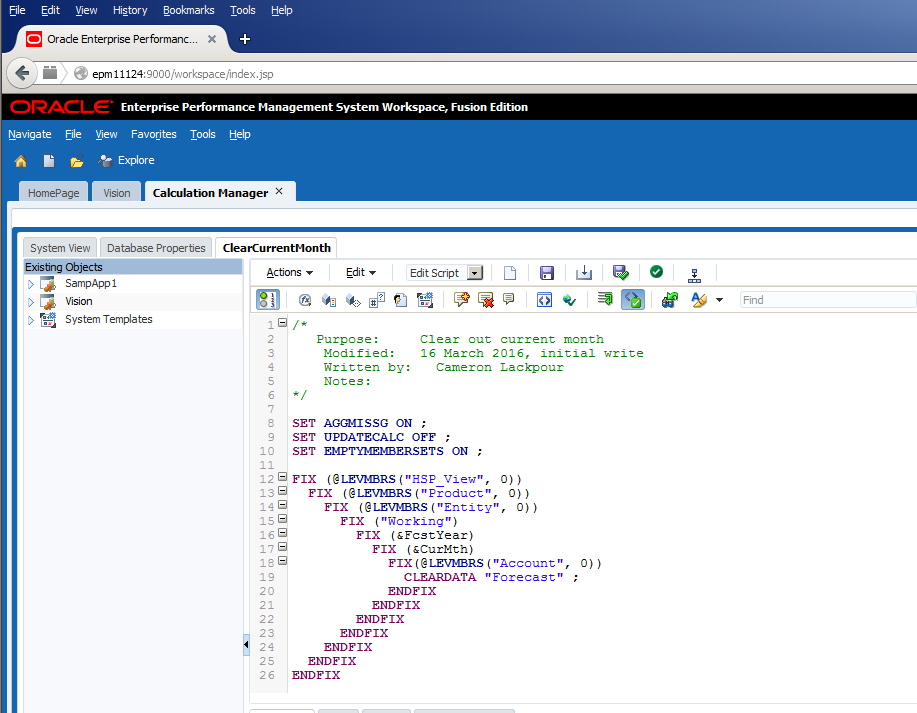
Alternatively, for those of us Bittereinders who are holding on to Workspace with every ounce of energy we can muster, it looks just like on-premises and takes us to the same Calc Mgr explorer.

What does the code actually do?

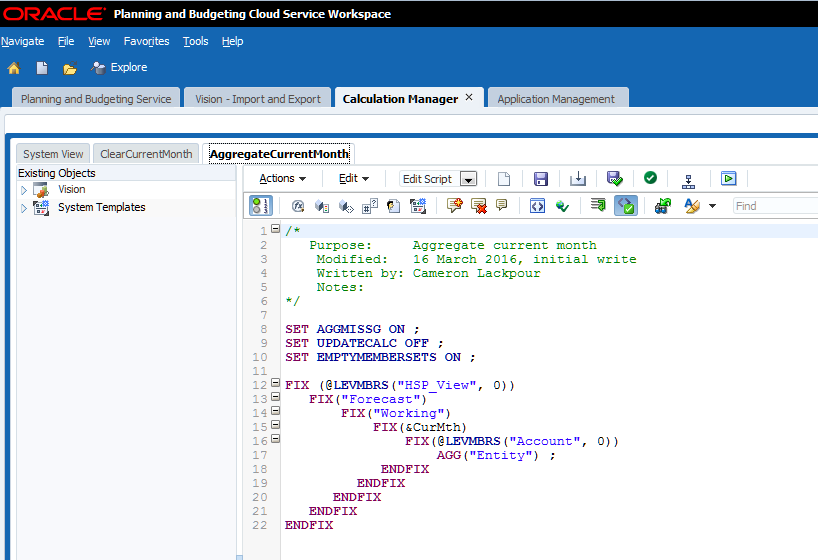
Let’s take a quick break to review the very simple code.

Again coming back to the steps that a monthly Actual load automated process has to go through, it must:
  1. Load new metadata
  2. Refresh the database
  3. Clear out the most current month’s data
  4. Load that data
  5. Aggregate the data

Clearing the deck

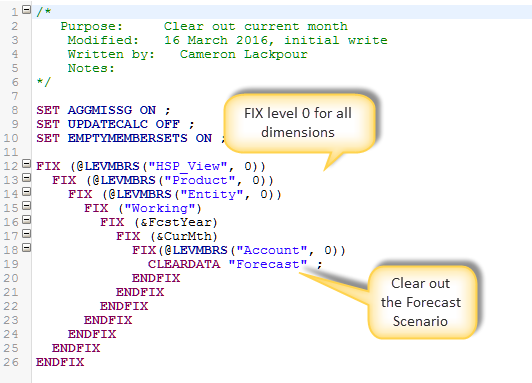
The data clear is simple.  I’m showing it in PBCS but the code is the same in on-premises.

The logic is simple – FIX on all level 0 members for the current month using the Essbase Substitution Variable &CurMth to clear out the Forecast Scenario.  Easy-peasy.

Sum of the parts

After the data has been loaded there’s an even easier aggregation of the Entity dimension.  Believe it or not, in the PBCS Vision application all other dimensions are either fully dynamic sparse or dense so there’s just Entity that needs to be aggregated.


Executing Business Rules

Traditional from Workspace

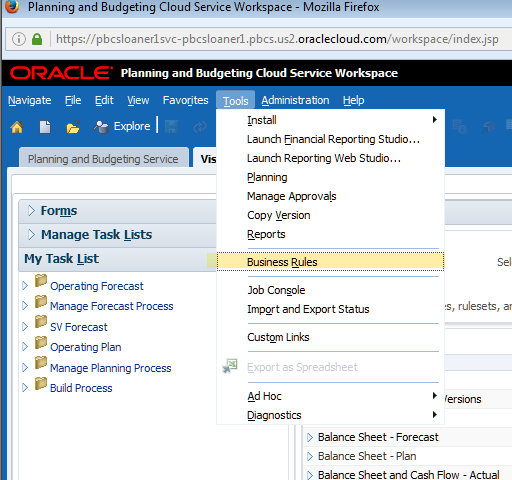
Whether on-premises or PBCS, Workspace navigation is the same:

And then run from the list:

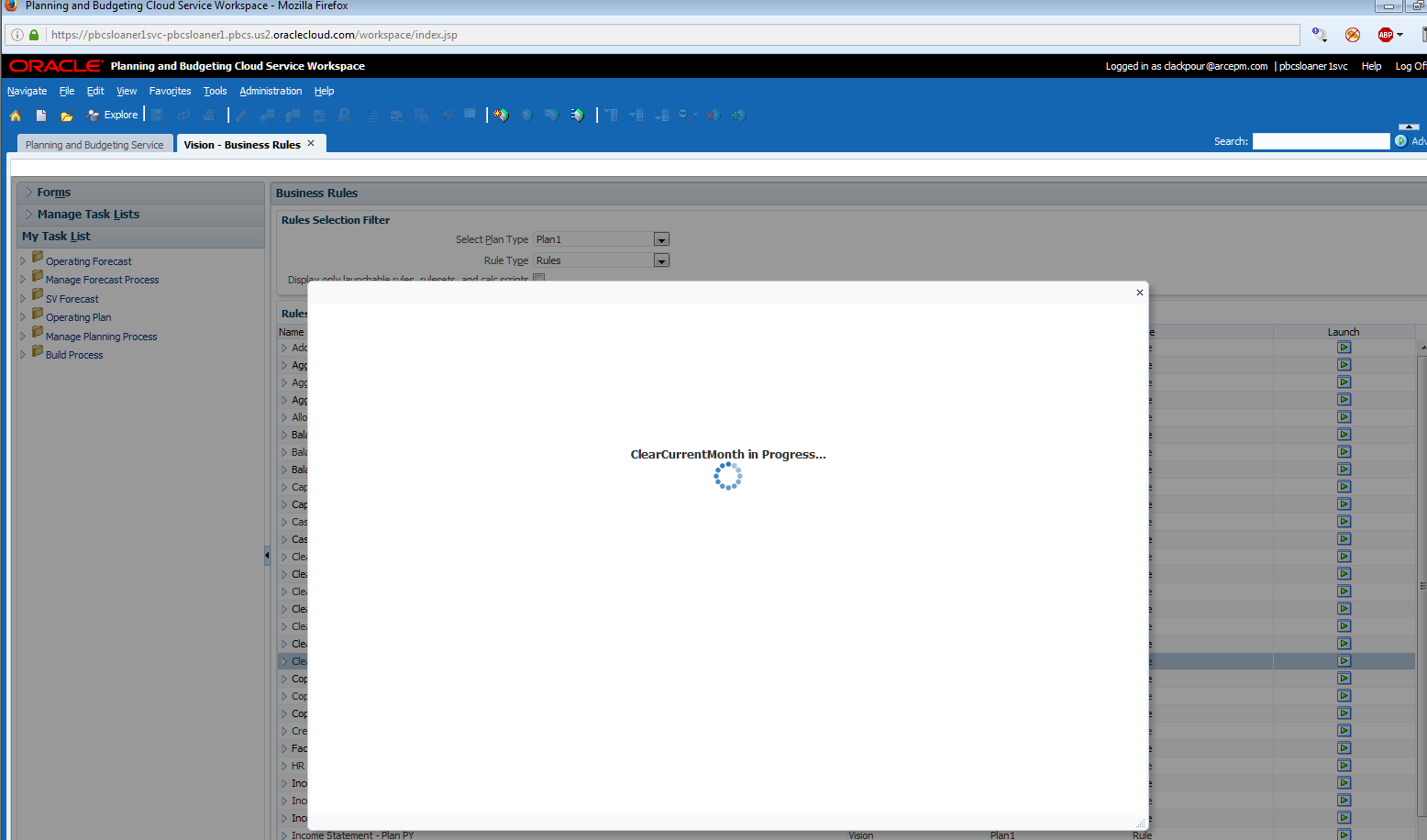
It runs:

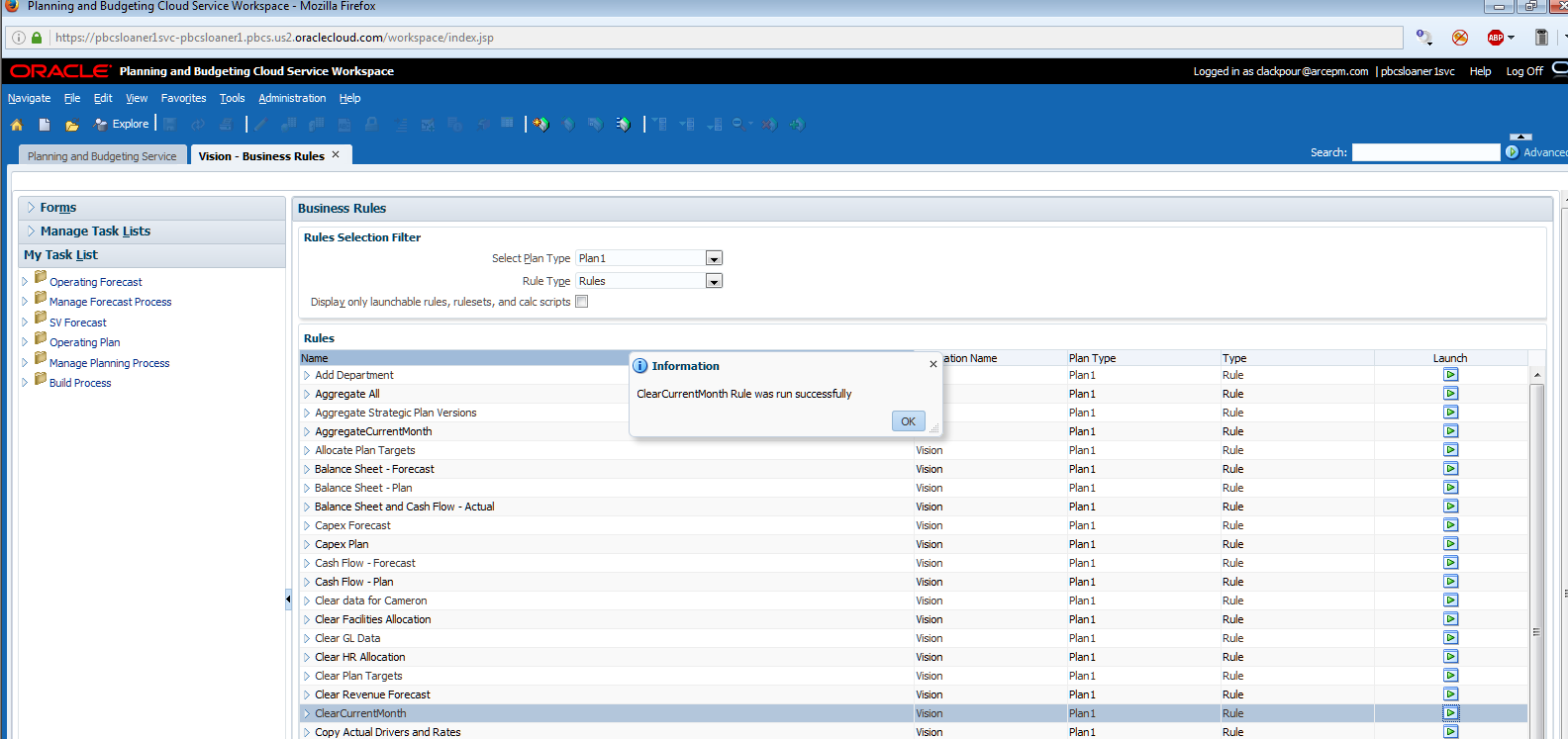
It’s done:

Simplified Interface

In the SI, things are a bit different but conceptually it’s the same.

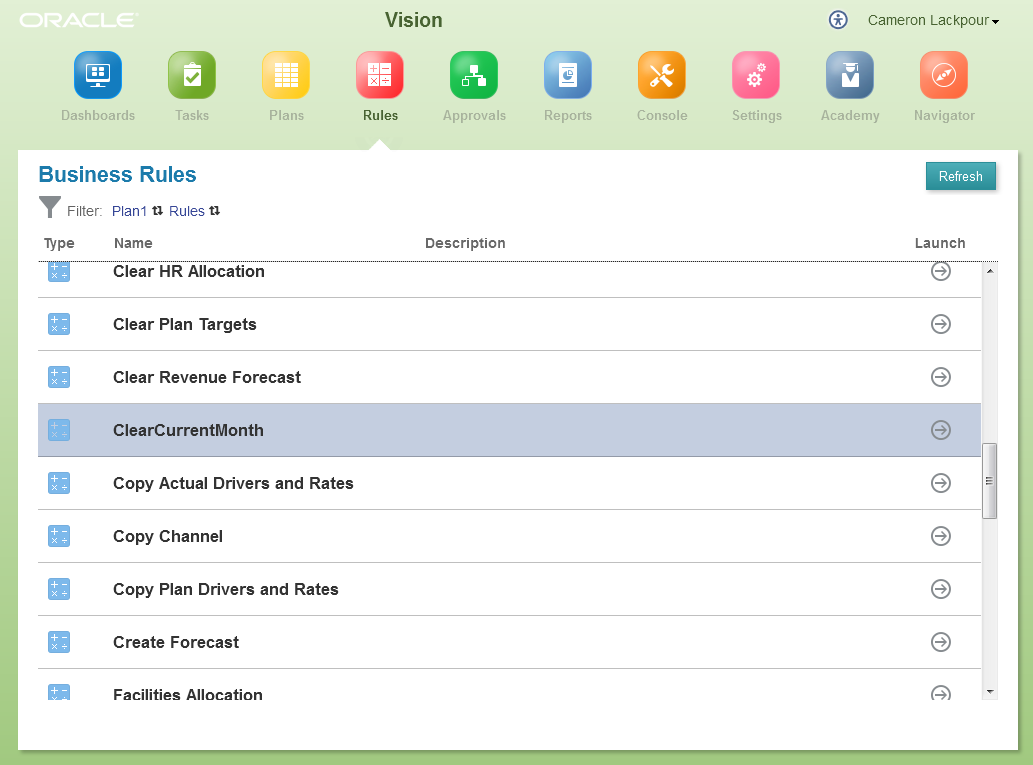
Navigate to Rules:

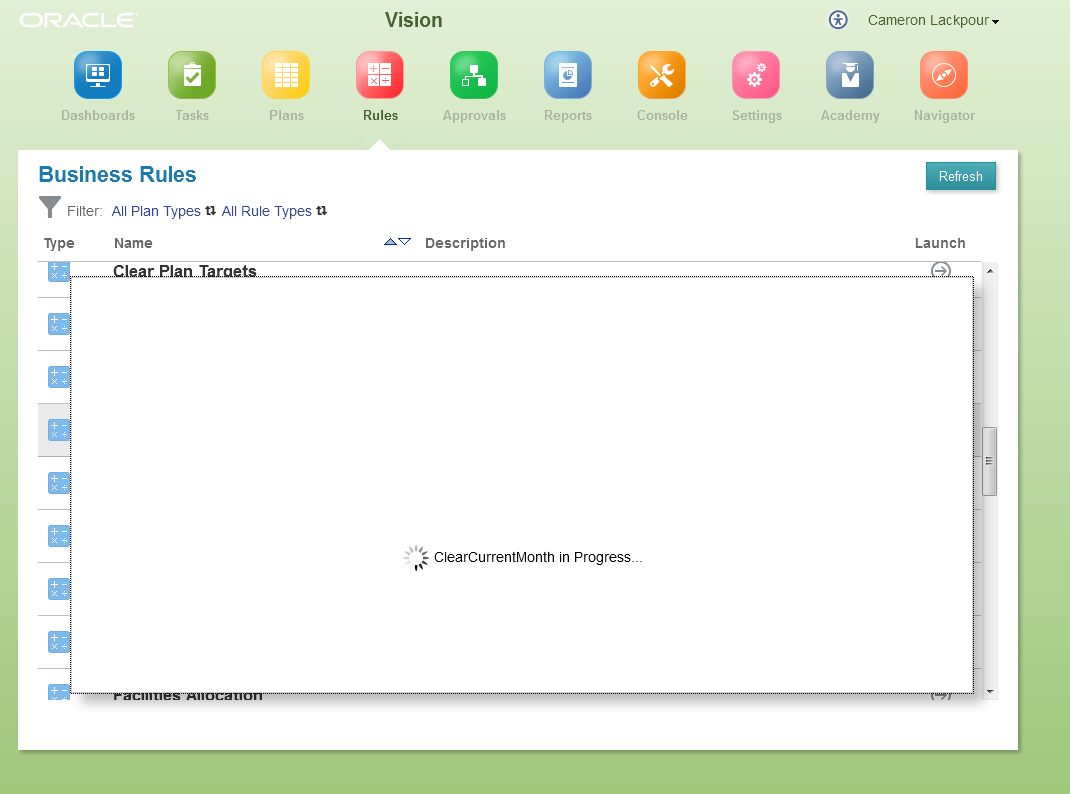
Find the one you want, in this case ClearCurrentMonth, and run it.

No confirmation message pops up when complete.  Instead go back to the good old Console’s Jobs tab to see the results:

Smart View

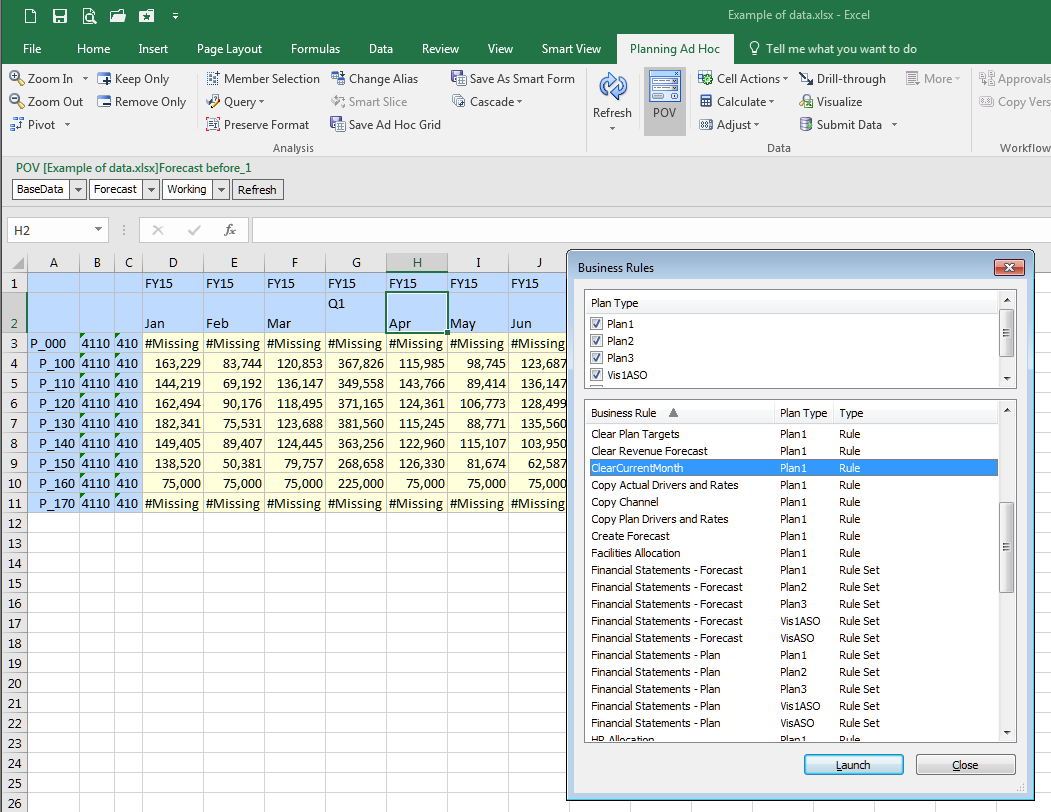
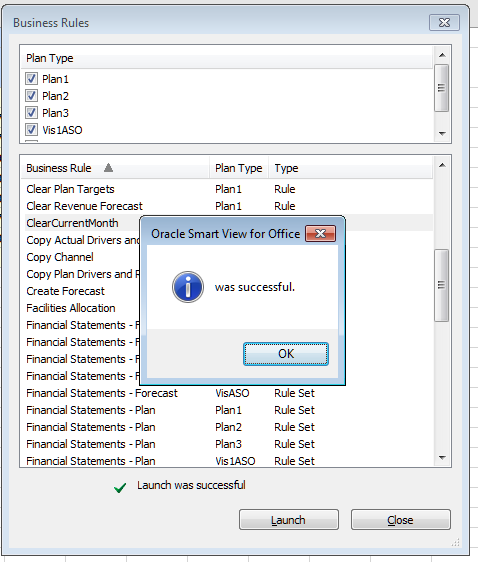
Finally, it’s possible to run business rules from Smart View – both on-premises and PBCS work the same way:

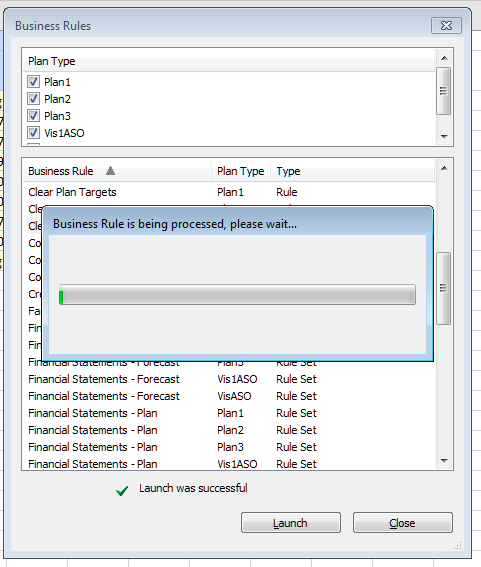
Just as with Workspace and SI, there’s notification of both execution:

And completion:

How many ways to skin this cat?  Four.

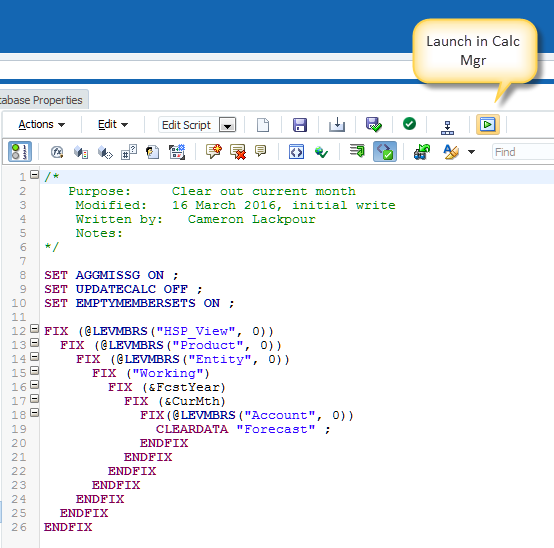
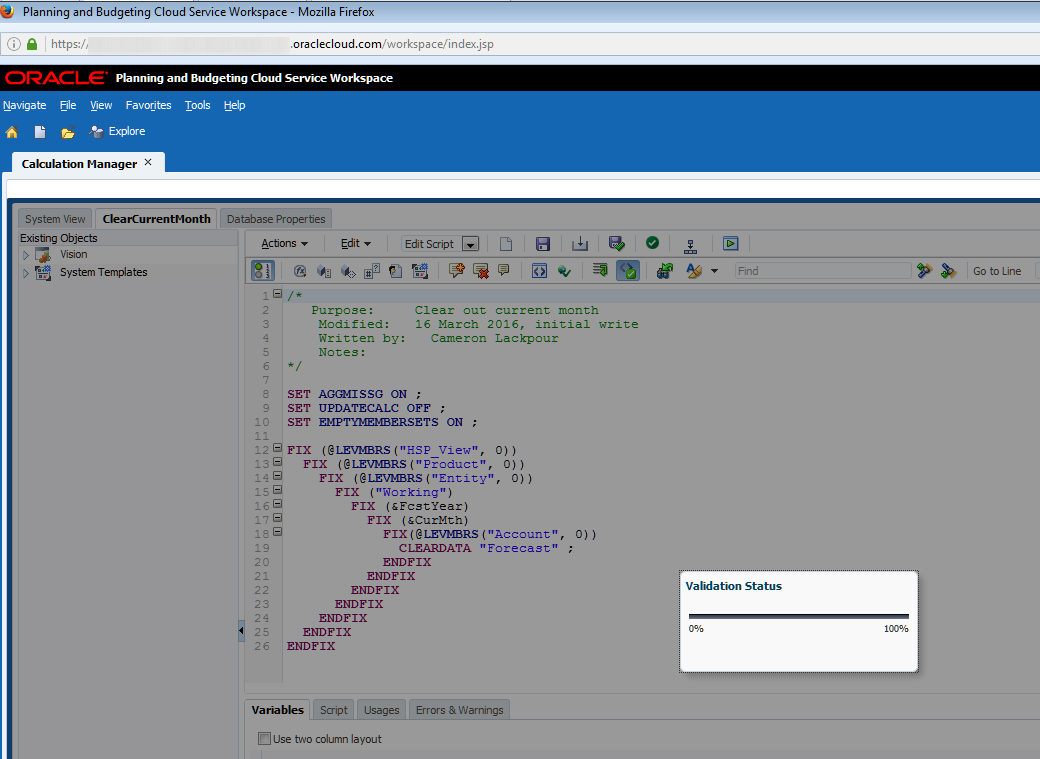
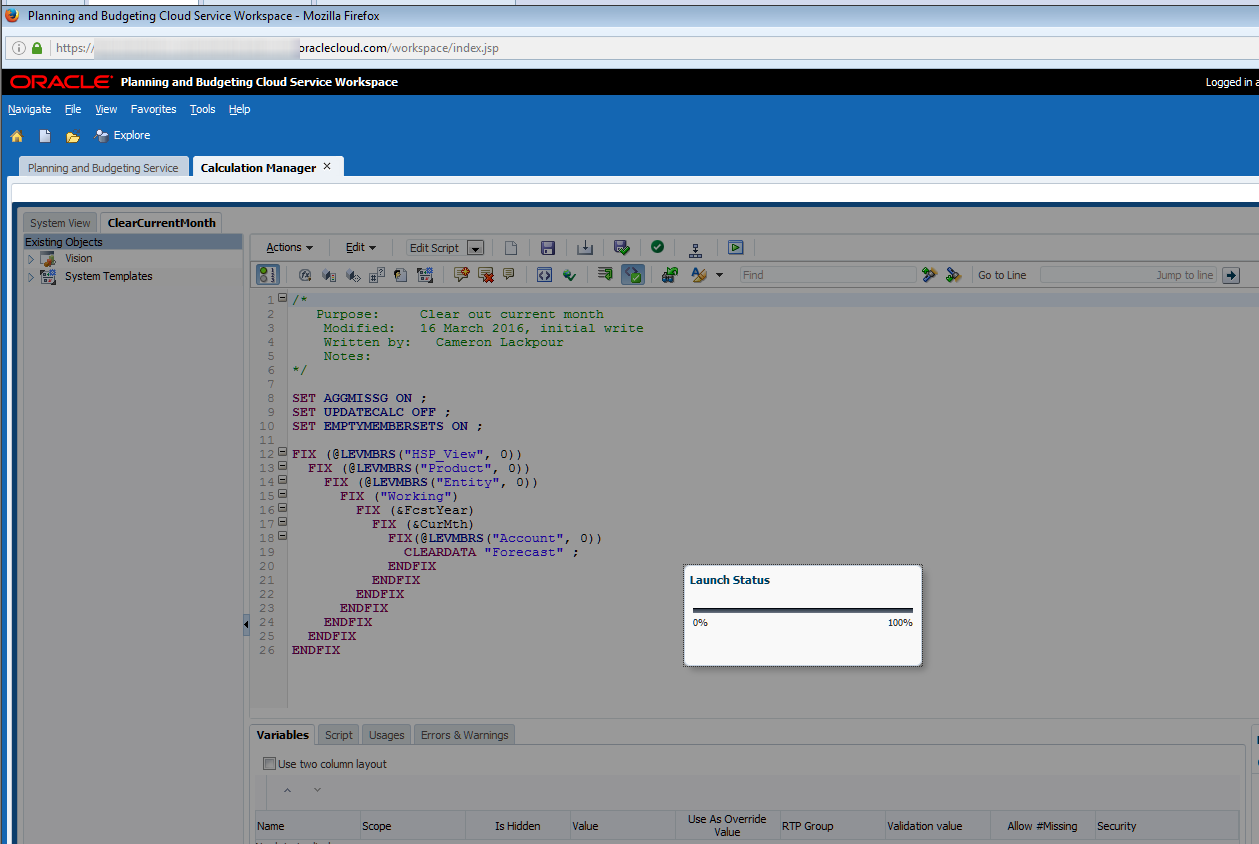
Other than the title bar that says, “Planning and Budgeting Cloud Service Workspace” can you see a subtle addition to the Calc Mgr code snippet above?  Look on the top toolbar in the editor.  See it?  No?  It’s oh so little and yet oh so useful.  

Let’s make it a bit more explicit.


That launch button is not in on-premises like so many other functions.  Sigh.

Putting aside my eternal lament about feature parity, this is Yet Another Pretty Cool PBCS Function (YAPCPF, pronounced yapkapfif).  No more need to deploy the rule to Planning to test it although for Workspace, the SI, and Smart View that will have to be done..  Fwiw, if you didn’t find it, be glad because I had to really exercise my inner OCD to see the difference as I compared icon-by-icon-by-icon across the two platforms.

Clicking on that button delivers a Validation before run (remember, if it’s deployed it’s validated):

And then a processing message:

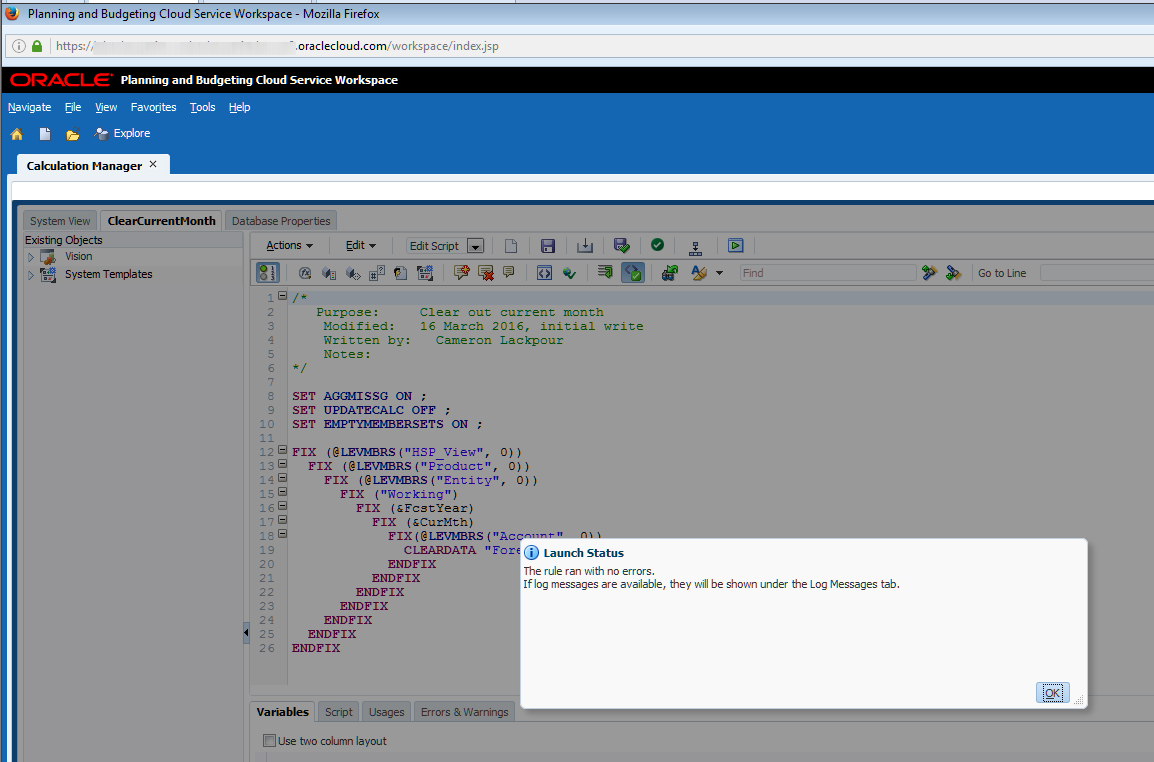
And then finally a completion message:

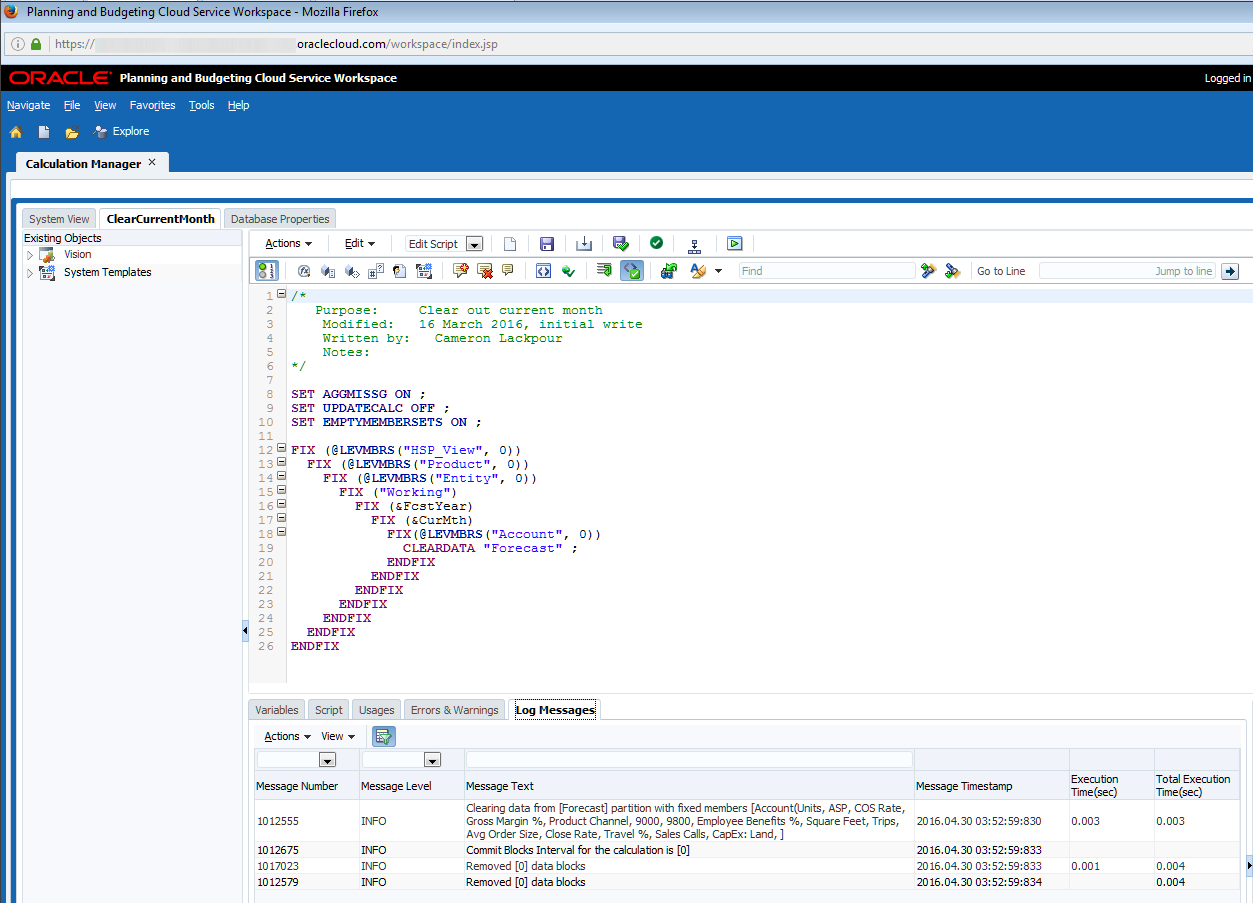
Btw, there’s a Log Messages panel in Calc Mgr to give you log file information.  Note that there is no other way to get to the log file. Bummer on that one.

So what’s it all supposed to do?

Let’s take it in calculation steps.

Assuming this:

The ClearCurrentMonth business rule gets executed.  As July is the current month and there is no data, nothing changes.

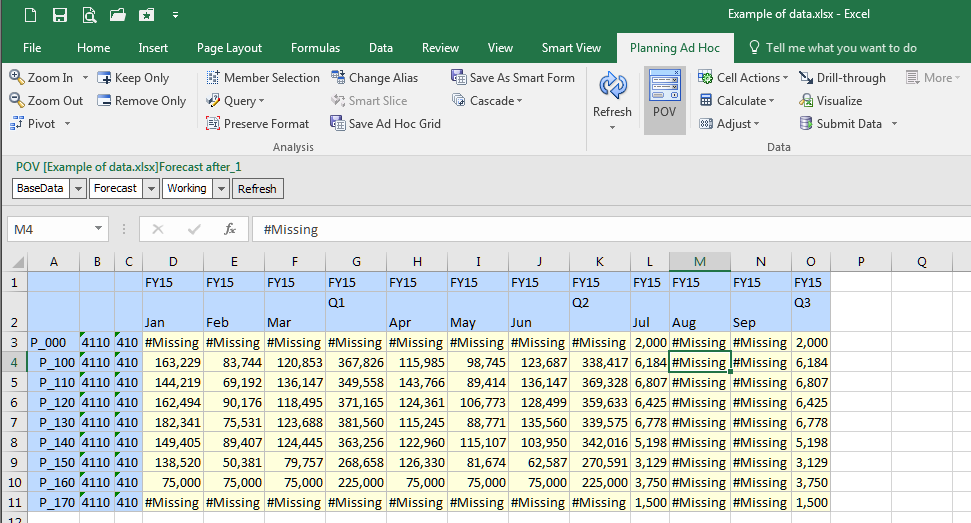
Data gets loaded in as per The Compleat Idiot's Guide to PBCS, No. 11, PBCS and data which now looks like:

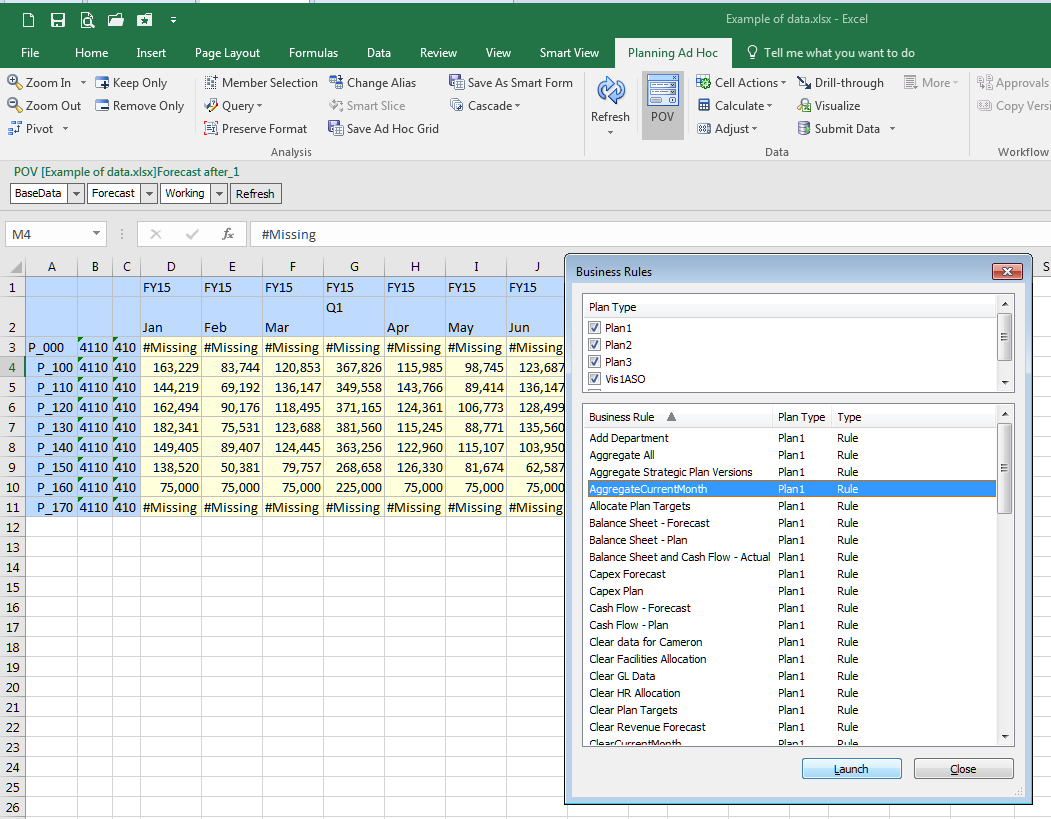
To aggregate it, run the AggregateCurrentMonth rule.  I chose to run it from Smart View but it could happen in Workspace, the SI, or Calc Mgr itself:

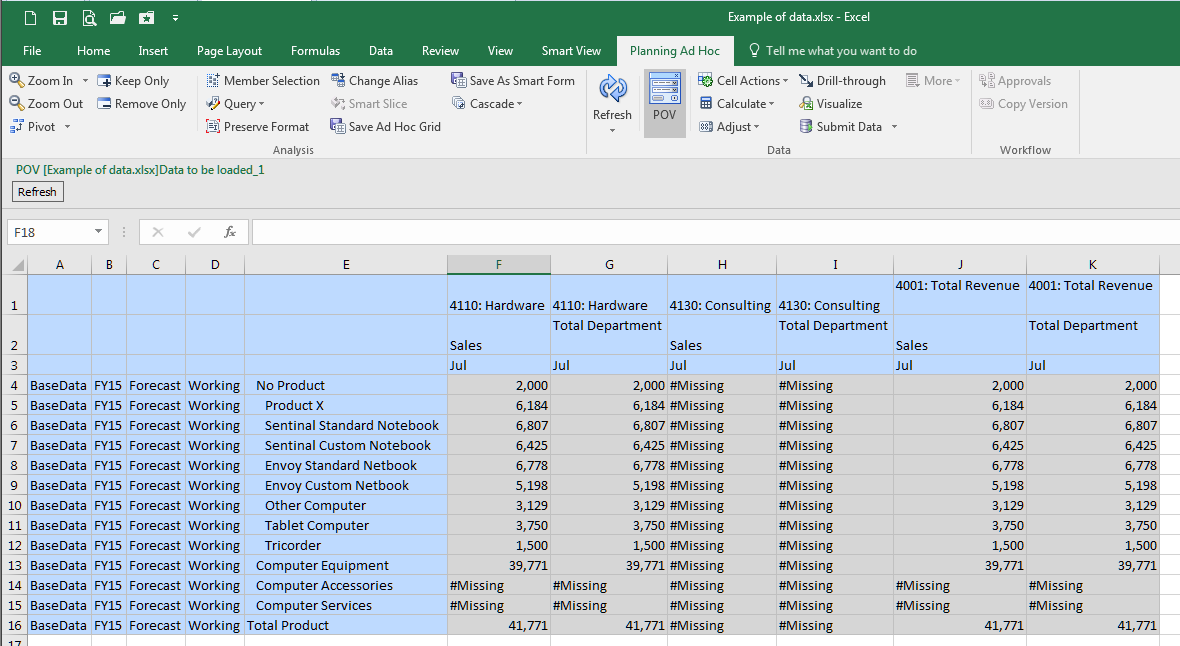
Ta da, aggregated data:

Btw, I am almost resigned used to working with Planning ad hoc forms in lieu of Essbase ad hoc connections.  Almost.

Summing it all up

If I were to look at the four approaches and count clicks as a way of measuring complexity, I see the following:
  • Workspace – four including clicking on OK when the process is finished
  • Simplified Interface – four including navigating to the Jobs console
  • Smart View – six including closing the Business Rules dialog box
  • Calc Mgr itself – two assuming being already in the editor

So not much of a difference in terms of effort between traditional Workspace and the Simplified Interface.

PBCS really moves beyond on-premises with that ostensibly simple ability to run the business rule from within the editor.  No more writing the code, deploying it, watching it fail/having useless junk in your Planning application.  Instead, just write, run, edit, run, edit, run, approve, deploy, drink a celebratory beverage of your choice.

Let’s take stock of where we are with this series:

With those three posts we’ve covered how to interactively load current Actual into Forecast.  That’s all well and good but in the real world no one (hopefully) would ever do this.  Instead it needs to be scripted so it can be run on demand or through a scheduler.

And that scripting process for both on-premises and PBCS will be the subject of the next post.  Expect to see quite a few differences between the two platforms.  You’ll have to decide which one is the best for you although I think that will be pretty obvious.

Be seeing you.
Popular Posts